primedocs 4.1 (2026 H2)
primedocs 4.1 is the 2026 H2 half-year release. Its changes were delivered incrementally through feature releases 4.1.10020.0, 4.1.10056.0 and 4.1.10062.0: each feature release brings finished functionality directly to customers without waiting for the half-year milestone. Release 4.1.10084.0 is the main version of the half-year and brings all changes together. This page shows the most important changes of the half-year and links to the individual releases.
Videos on primedocs 4.1
Short videos introduce the changes in primedocs 4.1. They are organised by audience in three playlists:
Highlights of the half-year
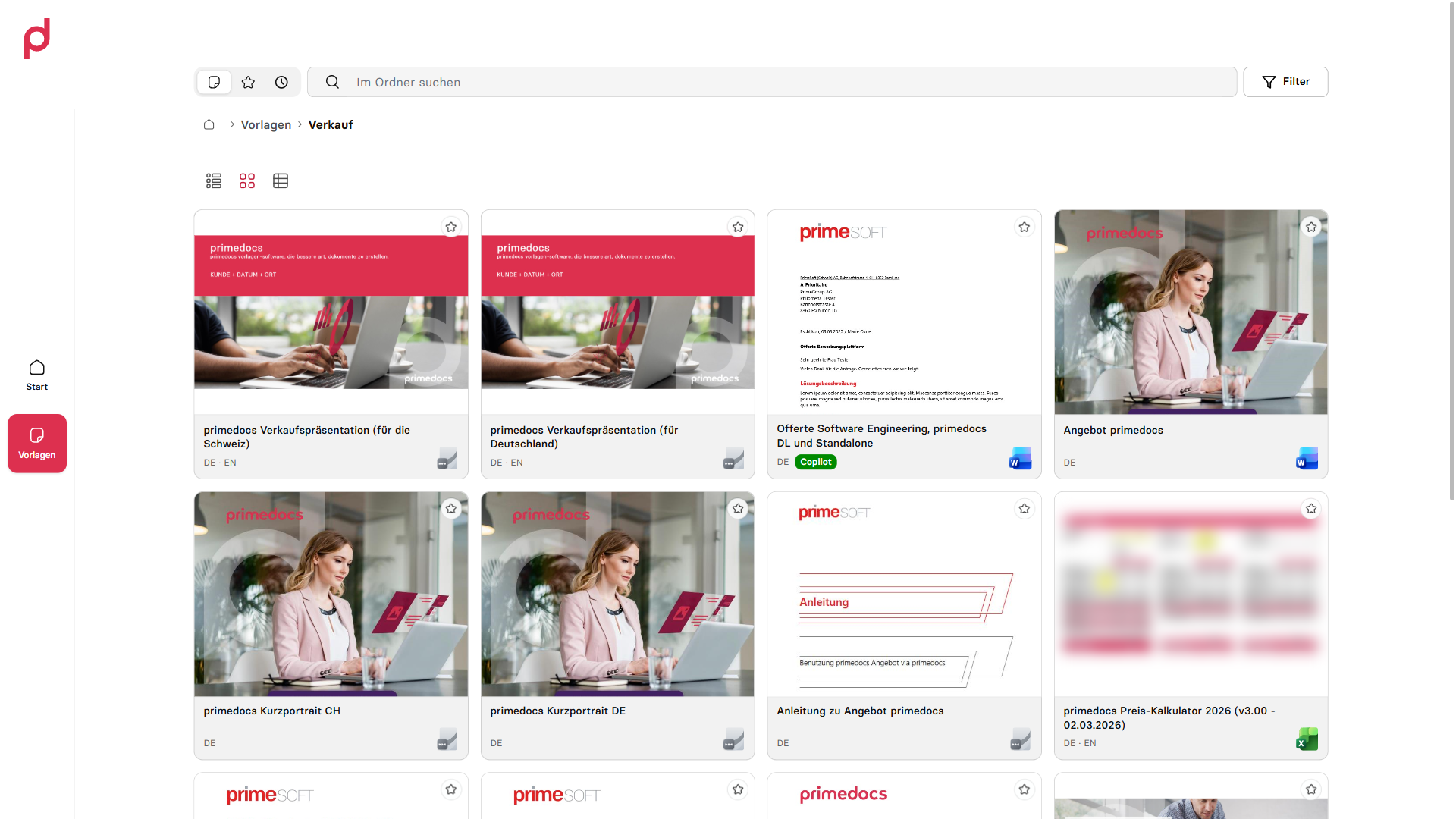
The redesigned web app
The web app has been fundamentally reworked. The start page shows favourites and recently used templates, and templates can be displayed as a list, a grid with preview images or a table. Settings, profiles and integrations are grouped in a shared side panel. The live preview shows the document while the form is being filled in. The interface is available in four languages and also adapts to the narrow task pane in Outlook. → Release 4.1.10084.0, primedocs Web
Snippets in the new Outlook
The Outlook web add-in offers full snippet handling in Outlook (new), Outlook on the web and Outlook for Mac: search, insert, create and edit. A visual editor formats text and inserts images, and language versions and permissions are maintained per snippet. The automatic signature signs in on its own. → Release 4.1.10084.0, Inserting and managing snippets
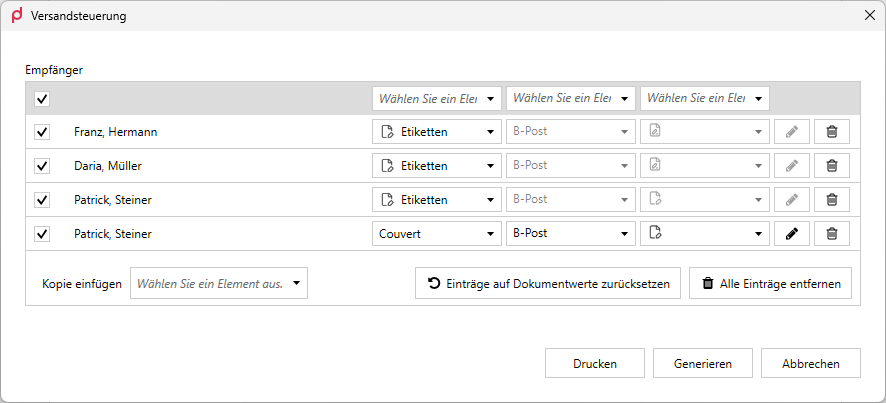
The new Web Admin
Users, groups, roles and organizational units can be managed in the browser, without installing anything on the workstation. The Web Admin also covers the datasource settings, user synchronization, package export and import between environments, and analytics on usage and client versions. → Release 4.1.10084.0, Web Admin
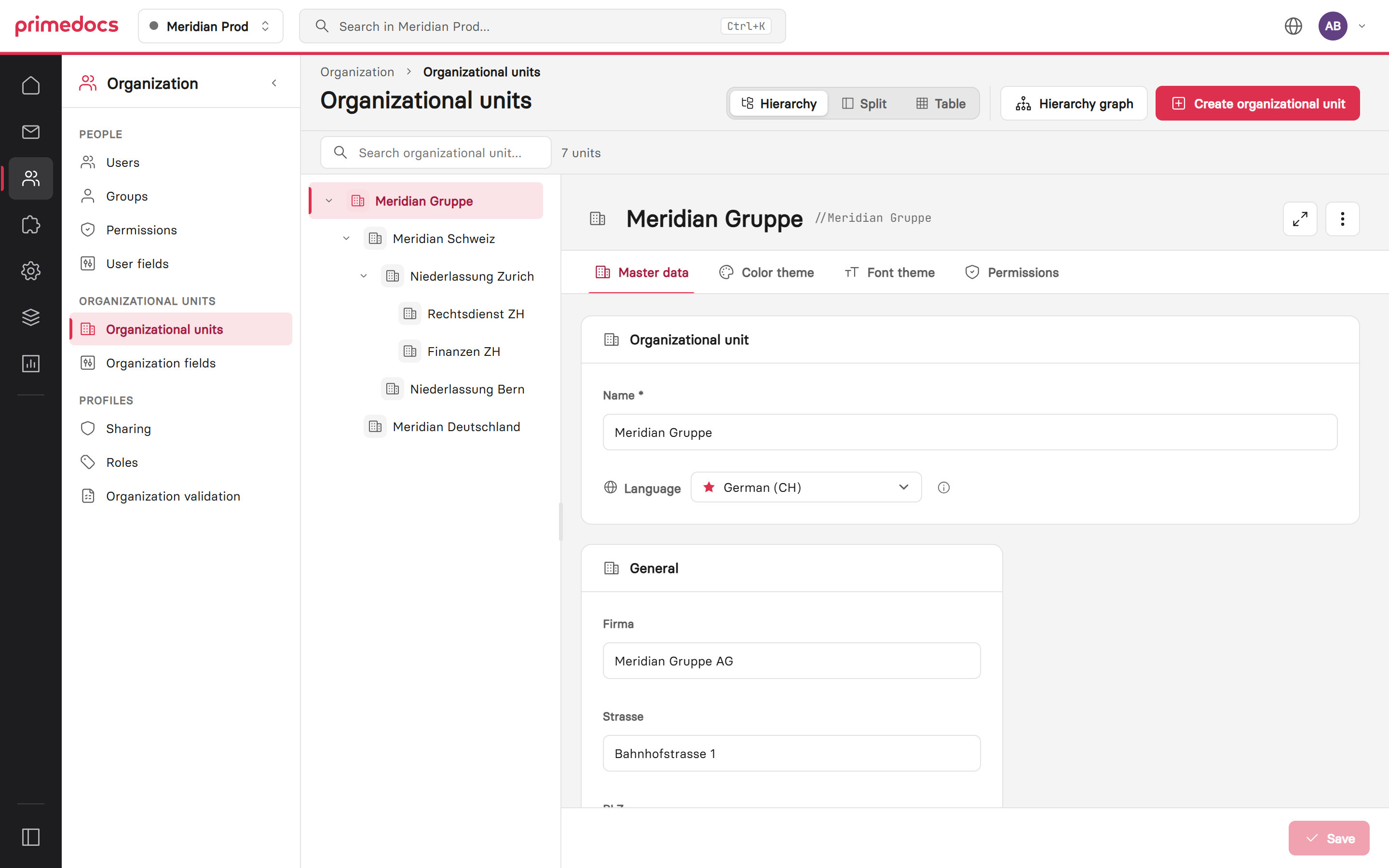
Classify documents with Microsoft Purview
Sensitivity labels are chosen directly during document creation and applied on the server, for Word, PowerPoint and Excel, including documents that a business application generates in the background. → Feature Release 4.1.10056.0, Microsoft Information Protection
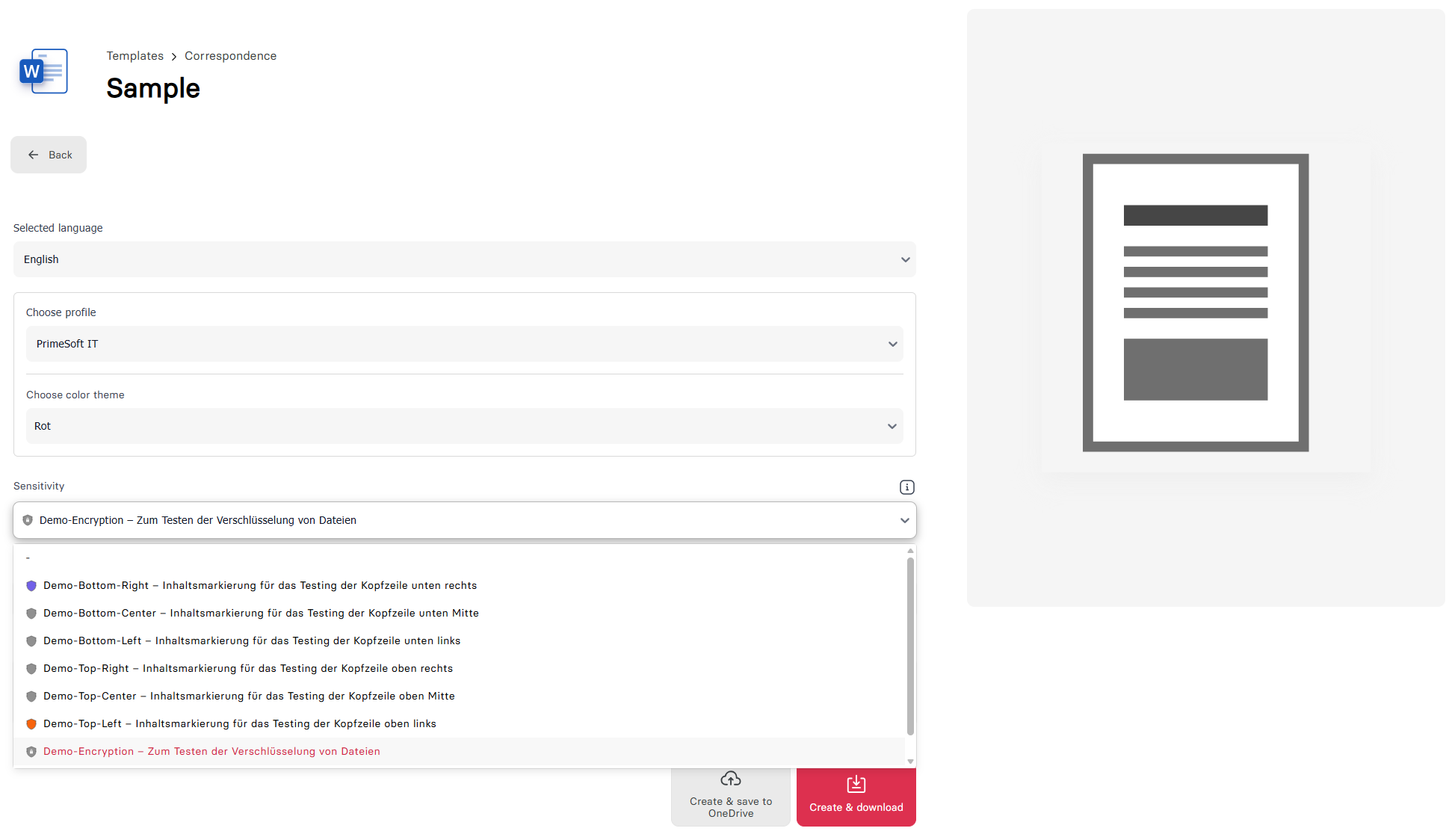
Dispatch Manager
The recipients of a document are assigned to dispatch types such as labels, envelopes or address sheets. primedocs bundles the output per dispatch type and sends it directly to the selected printers. With release 4.1.10084.0, the recipient list can also come from Fields or Data. → Feature Release 4.1.10020.0, Dispatch Manager
Send slides from PowerPoint
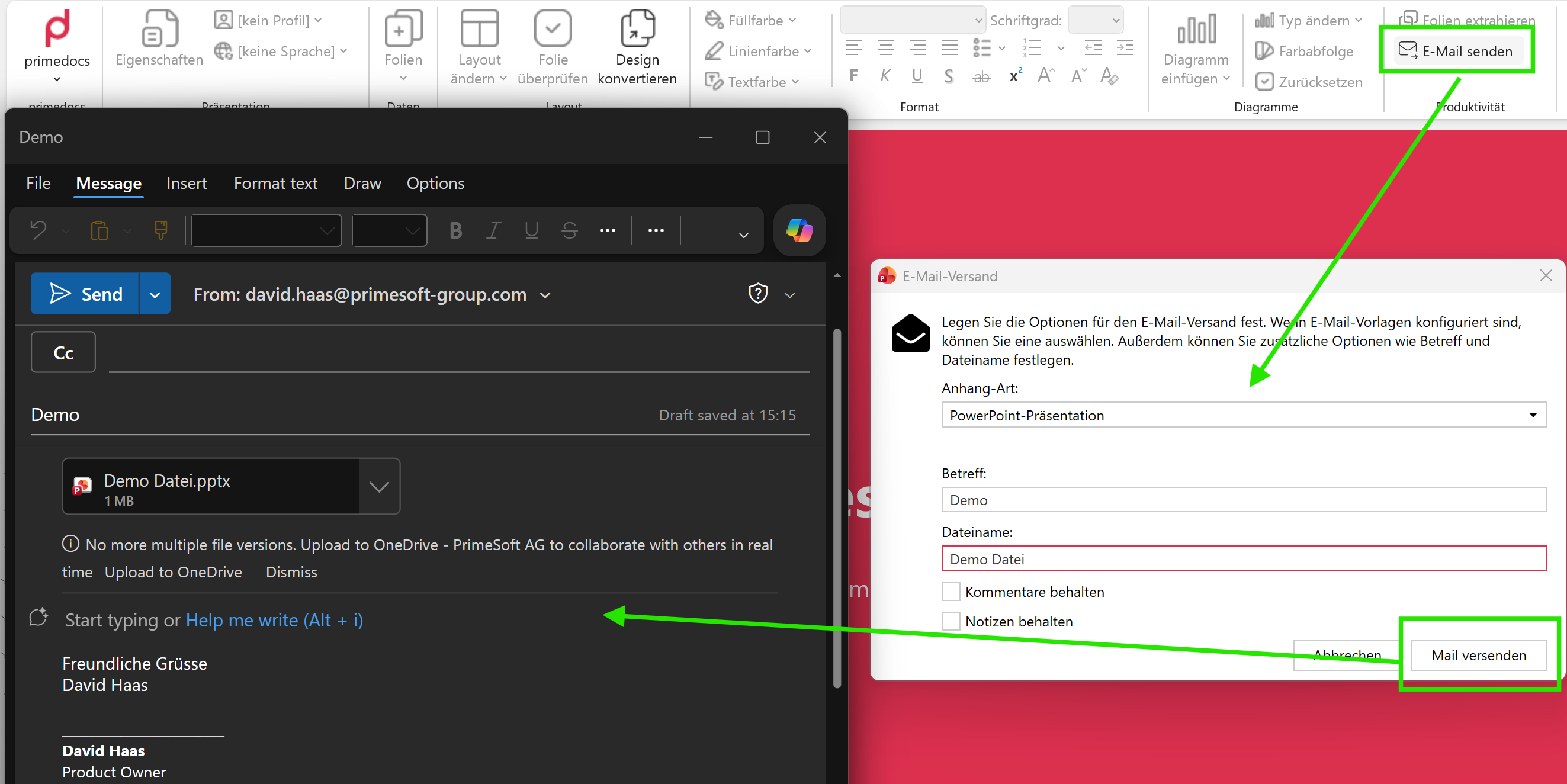
«Send email» creates an email in the corporate design directly from PowerPoint, with the presentation attached, also with Outlook (new). A preparation dialog selects slides, comments and hidden slides. Output management is also available in PowerPoint and Excel. → Feature Release 4.1.10020.0, PowerPoint ribbon
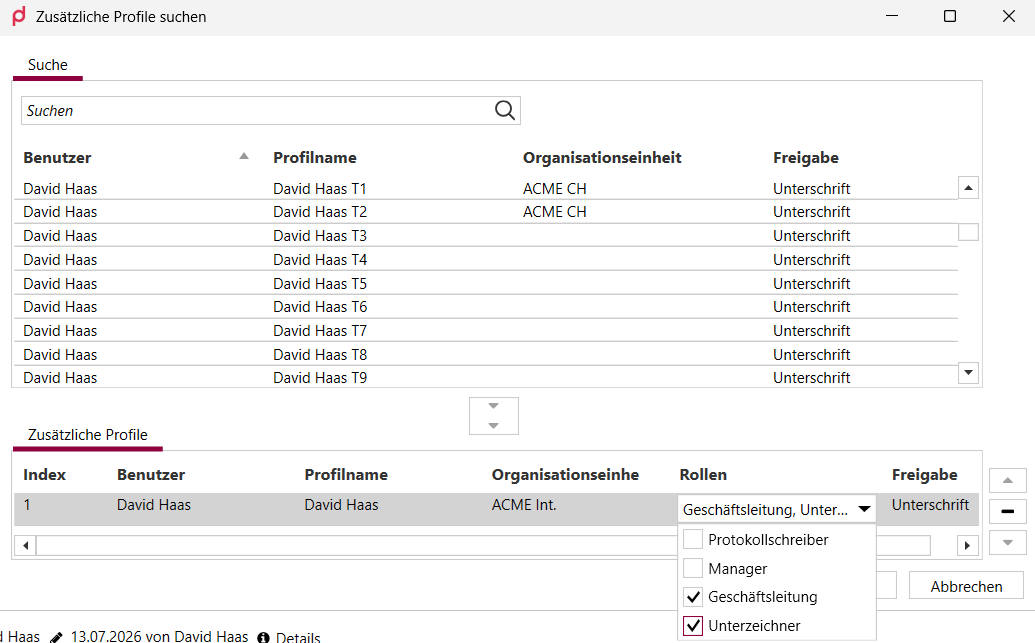
Roles for additional profiles and profile sharing with write access
Through roles, templates automatically preselect the right additional profile, for example for deputies or signing rules. Shared profiles can now also be edited, with the levels «Read only» and «Read & edit». → Feature Release 4.1.10020.0, Release 4.1.10084.0, Roles for additional profiles
Crisp logos with vector graphics
Logos, icons and pictograms can be stored as SVG and stay sharp at any size and in print. For older Office versions, Outlook signatures and Excel headers and footers, primedocs automatically creates a PNG. → Feature Release 4.1.10056.0
Connect business applications with a link
A business application only passes a link with a few parameters. primedocs retrieves the required data itself, prefills the form and returns the document, optionally as a PDF generated on the server. Existing documents can be updated through the same interface. All integration logic lives in the template. Templates can now also be started from ordinary HTTPS links, for example from SharePoint. → Feature Release 4.1.10056.0, ConnectSessionTemplate, Updating existing documents
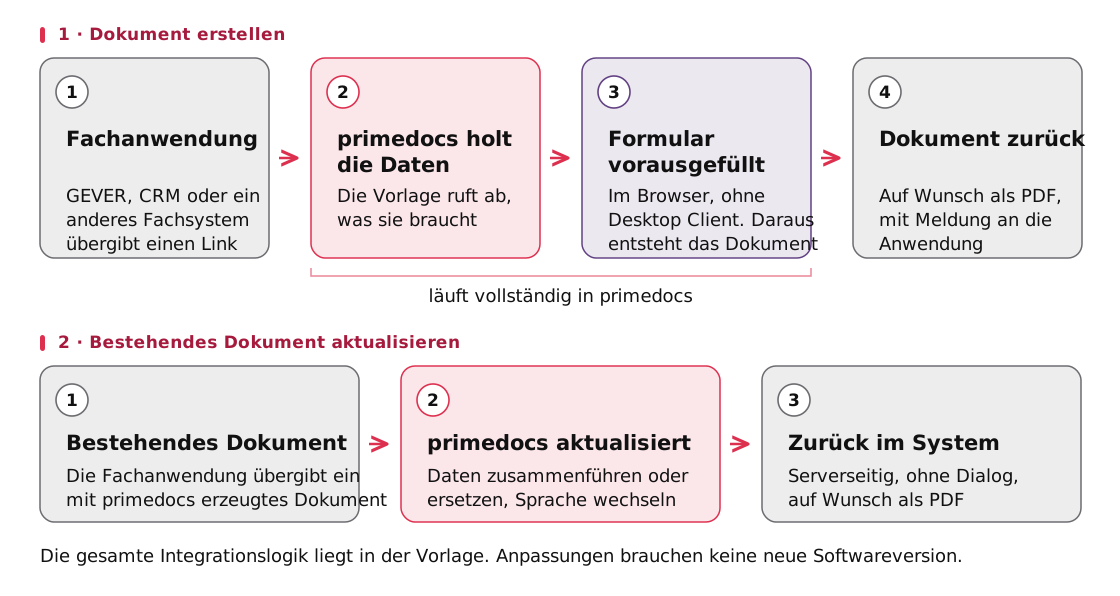
The diagram is in German.
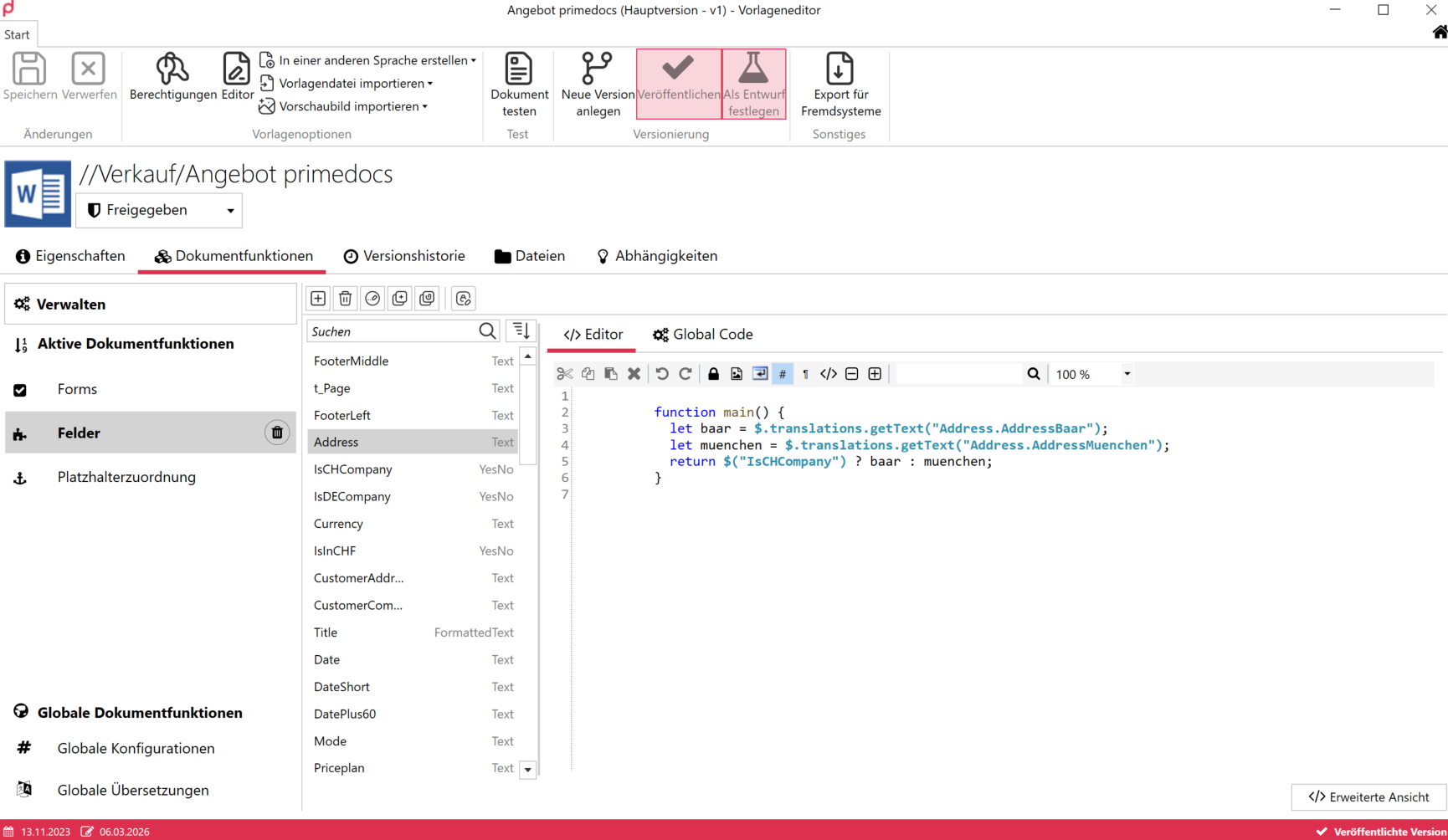
Edit fields and forms visually
The Fields and Forms editors now also edit the schema of objects across all levels, the code editor reports errors as you type, and autocompletion knows the fields of the template itself. Long forms can be structured into collapsible, reusable groups. In Word, the «Bind field» side pane replaces the previous dialog. → Feature Release 4.1.10062.0, Release 4.1.10084.0, Template editor
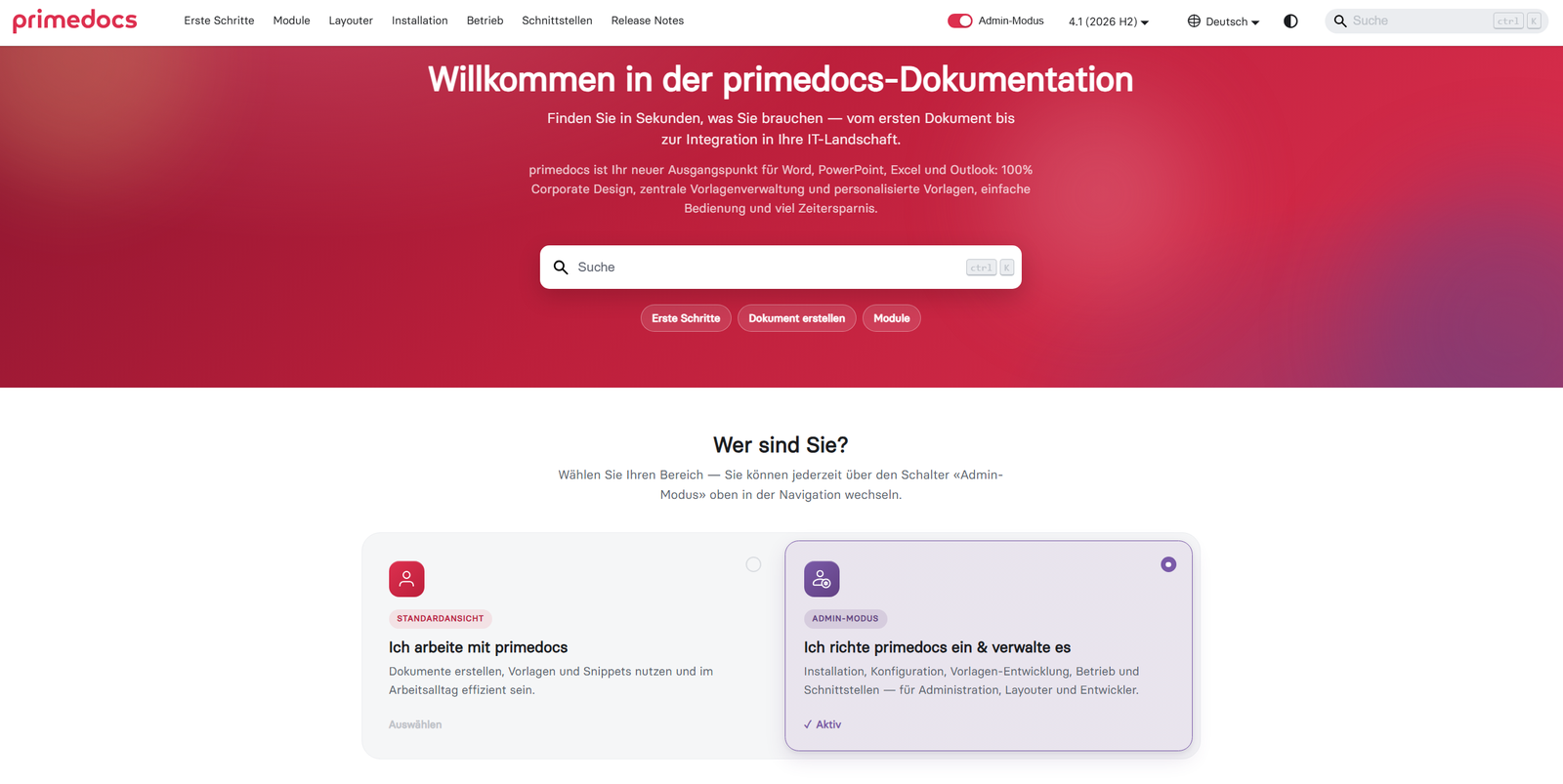
The new product documentation
The product documentation is published at docs.primedocs.io, separated by product version, in German and English, with fast search and a dark mode. The start page guides readers by task, and the release notes link directly to the affected chapters. → Feature Release 4.1.10056.0
More changes
- Automatic sign-in (SSO): Automatic login across the web app, desktop client, Office add-ins and Teams with an existing Microsoft Entra ID session. → Feature Release 4.1.10056.0, Single sign-on (SSO)
- Data-driven forms from any data source: The CodeDataProvider supplies form entries through freely definable logic. Fields can be set read-only and manual creation can be disabled. → Feature Release 4.1.10056.0
- primedocs for AI assistants: Through the MCP server, AI assistants search templates, read their form structure and generate documents.
- Snippets without boilerplate code: Automatic placeholder conversion and
$.createAutoMapping()make the snippet workflow much leaner. → Feature Release 4.1.10020.0 - Apply database migrations automatically: On request, primedocs applies pending migrations itself during the server update. → Release 4.1.10084.0