Release Notes
Highlights primedocs Release 4.0.3
For users
Drag'n'Drop Sorting
From 4.0.30171.0, list entries can be sorted via drag'n'drop, for example in ObjectCollection fields such as recipient lists. This covers use cases where the order of the objects matters, for example a list of recipients.
Output Management from the Open Document
With 4.0.30171.0, output management and DMS integration can be triggered directly from the open document. Storage, dispatch, and filing workflows can therefore be started without detours while the document is being edited.
PowerPoint Productivity Tools
Working with PowerPoint becomes significantly more efficient with version 4.0.30146.0:
- Arrange & Center:
A new ribbon group allows centering objects with just one click. - Selective Format Copying:
Through the context menu, format properties can now be transferred selectively (e.g., only the color or only the size). - Extract & Send Slides:
Selected slides can easily be extracted into a new presentation and optionally opened directly as an attachment in a new email.
Campaigns in the New Outlook
Marketing campaigns (timed additions to the signature) are now fully supported in the new Outlook (Outlook New) as of version 4.0.30146.0.
Quick Access Icons in Forms
In the Forms list view, important status values (such as shipping method) can be changed directly via clickable icons starting from version 4.0.30146.0. This saves clicks because the detail object no longer needs to be opened for simple changes.
Automatic Profile Selection in the New Outlook
The "AutoChangeProfile" feature is now also available in the new Outlook (version 4.0.30122.0). primedocs automatically detects the appropriate primedocs profile based on the selected sender account ("SendUsingAccount") and switches the signature accordingly, without the user needing to intervene manually.
Intelligent Slide Review in PowerPoint
The "Review Slides" function in the PowerPoint add-in has been further developed with version 4.0.30122.0. It now features intelligent formatting retention. When slides are updated from a library, individual customizations and formatting are better preserved, significantly reducing rework.
Layer Control in PowerPoint
Users can now explicitly force images or shapes to the top layer (version 4.0.30122.0). This resolves issues with overlapping elements and ensures that important content such as logos or callouts always remain visible.
Outlook Mobile
With version 4.0.30096.0, the Outlook Mobile integration is available. Users can now use their primedocs email signatures directly in the Outlook Mobile app on their smartphone or tablet while on the go. Whether on iOS or Android, your professional signatures are always with you and can also be used on mobile devices for consistent corporate communication. The integration works with your existing primedocs profiles.
Email Templates in Outlook (New)
As of version 4.0.30065.0, email templates are available directly in the task pane in the new Outlook (Outlook (New)).
“Dark mode” in Office
With version 4.0.30043.0, the “dark mode” of Office is now also correctly supported:
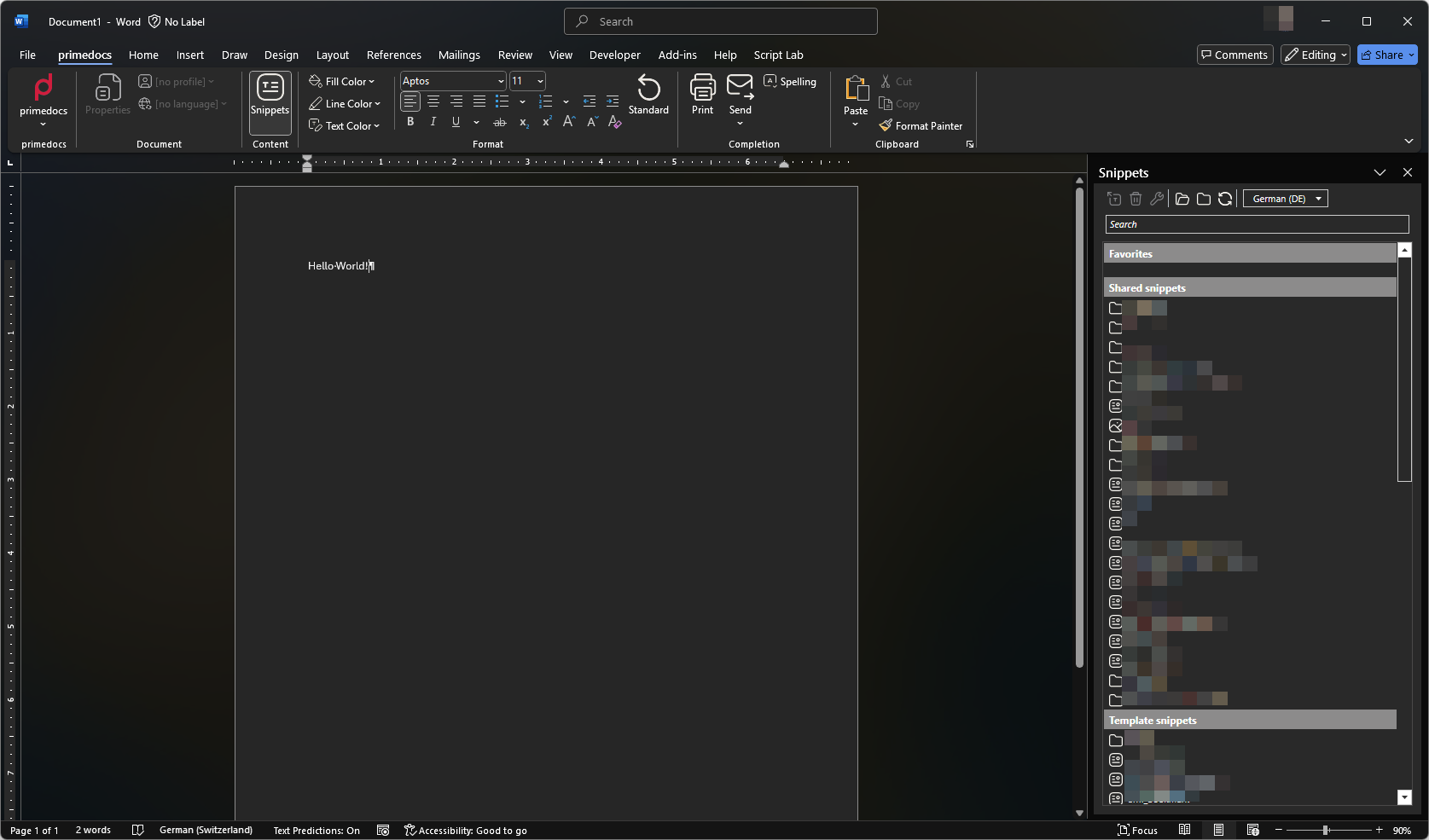
Starting with version 4.0.30057.0, QuickCheck and additional dialogs now support Dark Mode.
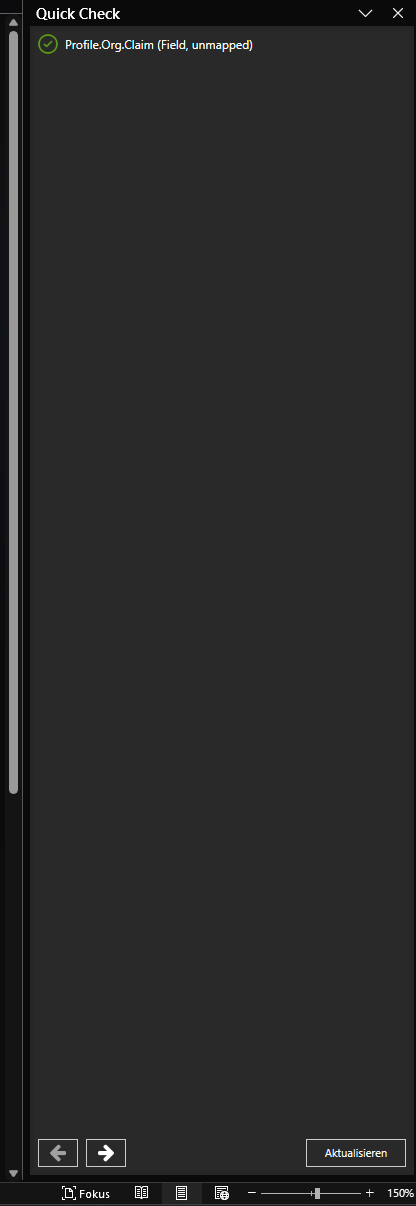
QuickCheck
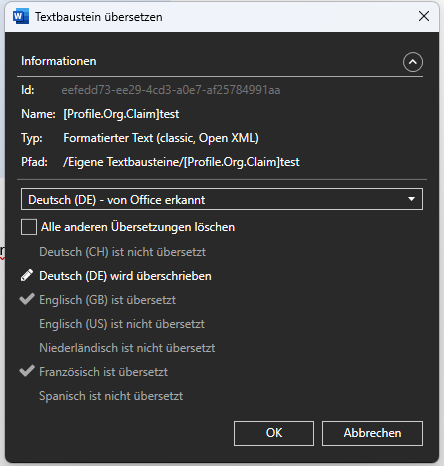
Dialog for overwriting snippets
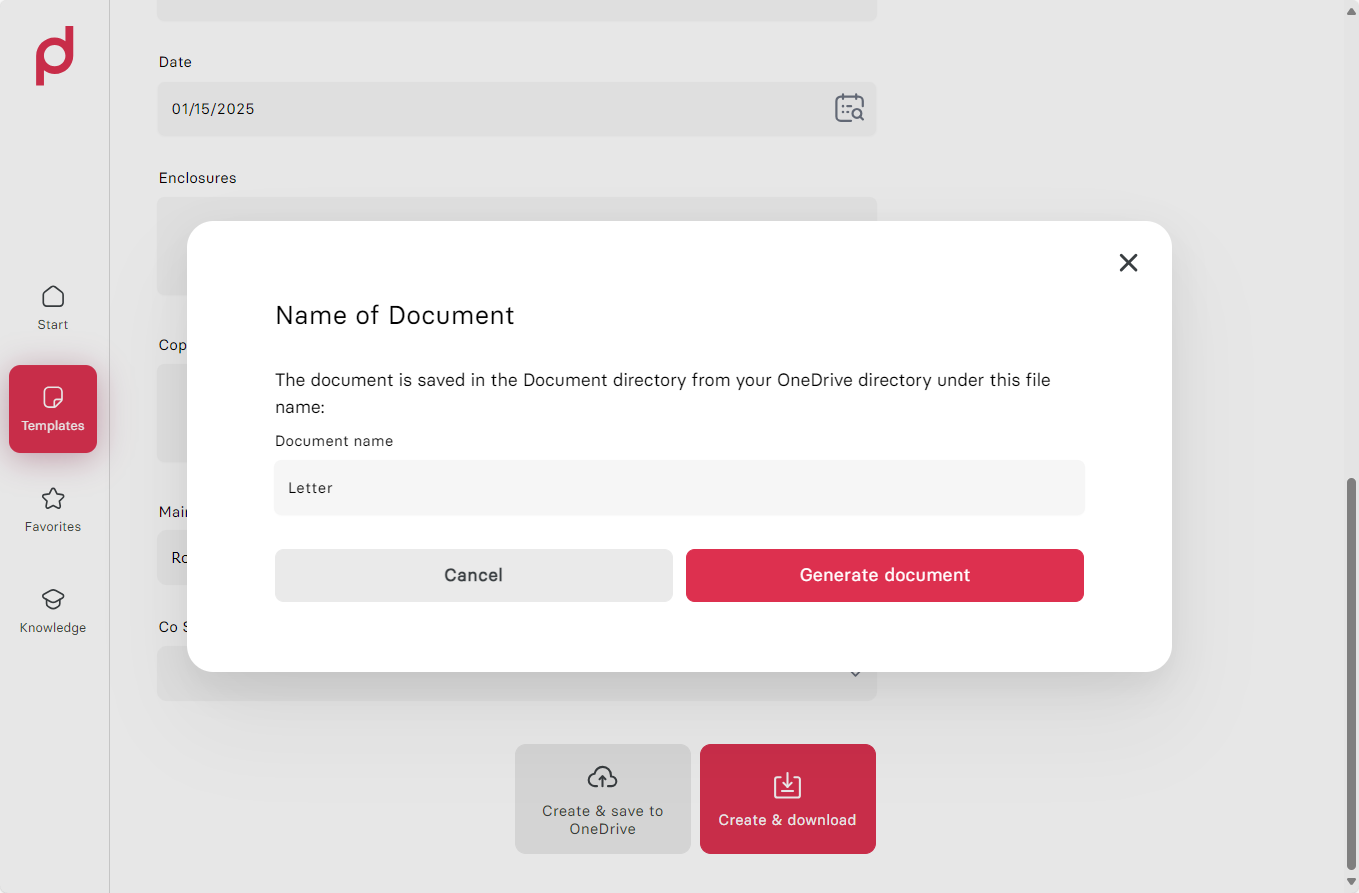
Document name selectable in the app
If you create a document with version 4.0.30043.0 for OneDrive or via Teams or SharePoint, you can now choose the document name.
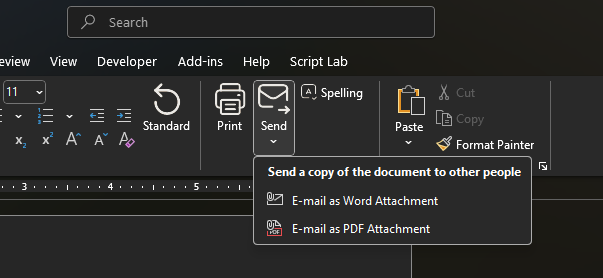
Send a PDF directly from the ribbon
A document can now also be sent directly as a PDF via the primedocs ribbon:
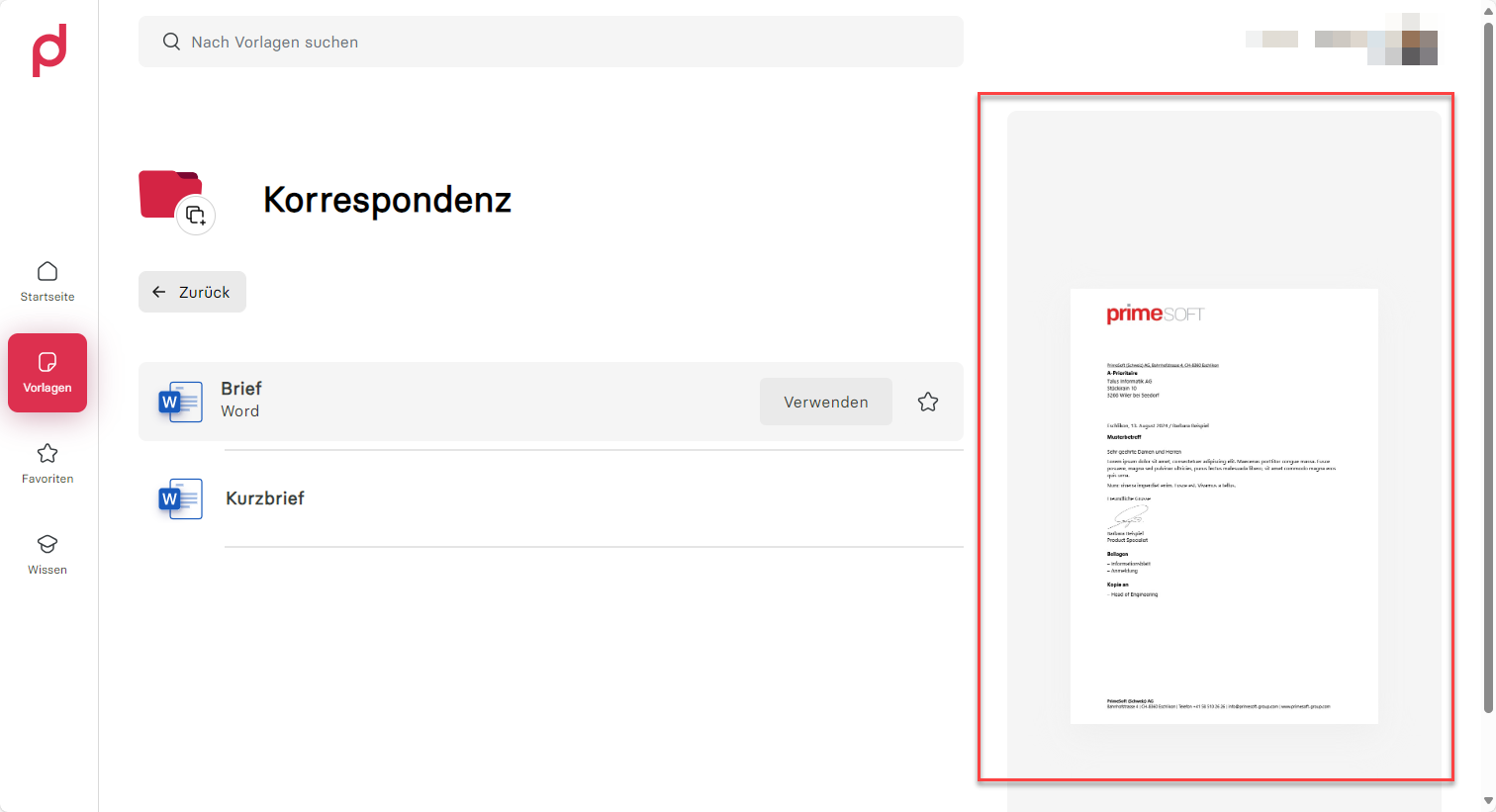
Multilingual preview images in the app
If multilingual preview images are stored, these are now also displayed in the app.
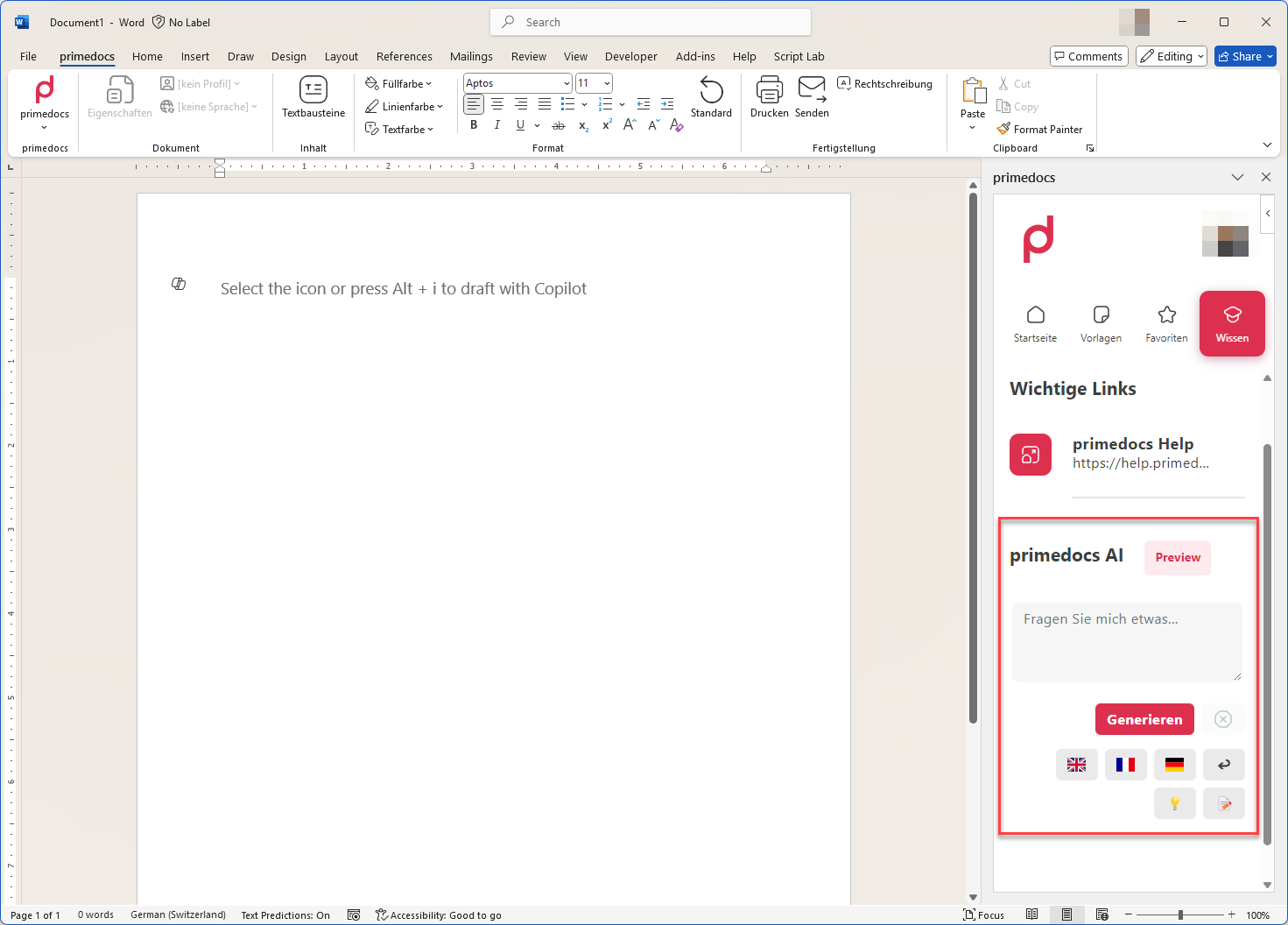
AI Prompts (Preview)
This feature requires a valid Azure OpenAI key, which must be stored in primedocs.config. Our support team will be happy to help you!
With version 4.0.30024.0, administrators can now store predefined actions for the AI, which the user can select directly (e.g. translate the selected text into English).
As of version 4.0.30043.0, lists and tables are displayed correctly in the preview.
Outlook function mailboxes & automatic profile change
In version 4.0.30024.0, administrators can activate an Outlook feature which helps to ensure that the correct signature is used when using a shared functional mailbox.
For template creators
Choice in Forms Revised
Choice fields in forms were fundamentally revised in 4.0.30171.0. Template creators benefit from more consistent operation and clearer selection logic. This simplifies template building and reduces complexity for multiple selections.
Image Size Control in PowerPoint Templates
With 4.0.30171.0, the size and positioning of primedocs images in PowerPoint templates can also be controlled on the slide master. The shape tag PRIMEDOCS.PICTUREMODE determines whether an image is fitted into the shape while keeping its aspect ratio (Fit) or inserted at the exact dimensions of the picture field (Exact). PRIMEDOCS.PICTUREANCHOR defines the alignment within the shape. In Fit mode, images therefore fit into the intended area without distortion, even with changing image sources such as Profile.Org.Logo.
Cleaner Binding for Picture Fields
In 4.0.30171.0, picture fields are integrated into templates via an optimized binding. This resolves various edge cases in image processing in Word and PowerPoint and creates the basis for more reliable image handling across all Office modules.
Technical Object Details in the Client
For more efficient configuration and troubleshooting, starting from FAT-Client version 4.0.30146.0, technical details (such as GUIDs) of objects like profiles, users, and organizational units can now be viewed directly. This significantly facilitates work on interfaces and in support cases.
Improved Script and XML Editor
Working in the editor becomes significantly more comfortable starting from version 4.0.30122.0. The internal editor now offers enhanced syntax highlighting for JavaScript and XML as well as context-sensitive auto-completion with helpful tooltip descriptions. This reduces error susceptibility and massively speeds up the configuration of templates and scripts.
Automatic Translation Suggestions
To accelerate the maintenance of multilingual templates, the client can automatically suggest missing translations starting from version 4.0.30122.0. This saves time when manually updating texts in different languages.
Less Restrictive Data Types
The Document Engine has been made smarter in version 4.0.30122.0. Fields and SnippetPlaceholder are now less strict in typing. The system performs automatic type conversion where possible, which reduces error susceptibility during template creation and often makes complex casting in the code unnecessary.
Optimized Images in Outlook (New) Signatures
For the new Outlook (Outlook New), the embedding of images in signatures (e.g., logos or profile pictures) has been technically revised (version 4.0.30122.0). Images are now embedded via CID links ("Content-ID"). This not only ensures correct display for the recipient but also prevents signature images from being mistakenly treated as file attachments.
Improved Template Validation and Error Handling
In version 4.0.30096.0, template validation has been fundamentally revised and now provides much more meaningful error messages. When validating GlobalCode, precise guidance is now given on what exactly needs to be corrected. Particularly helpful: error details in FormsGlobalElements are no longer discarded but displayed in full. This makes error analysis significantly easier. In addition, local validation of snippet keys has been improved so that problems can already be detected during template creation. If access rights to additional profiles of a shared profile are missing, you now receive a clear, understandable error message instead of a cryptic system error. These improvements save valuable time during debugging and make template building more efficient.
Dynamic Word Table Row Generation
In version 4.0.30065.0, a new field type WordTableRows has been introduced, allowing dynamic generation of table rows.
<WordTableRows Name="Players">
  <Code><![CDATA[
    function main() {;
      const builder = $.wordTableRowContent.getBuilder();
      const players = $("Forms.Players");

      for (const player of players) {
        builder.append(player.FirstName, player.LastName));
      }

      return builder.build();
    }
  ]]></Code>
</WordTableRows>
QuickCheck Can Now Include Help Texts
Starting with version 4.0.30065.0, the Quick Check feature can also include help texts or input instructions, providing users with guidance on how to complete the document or form.
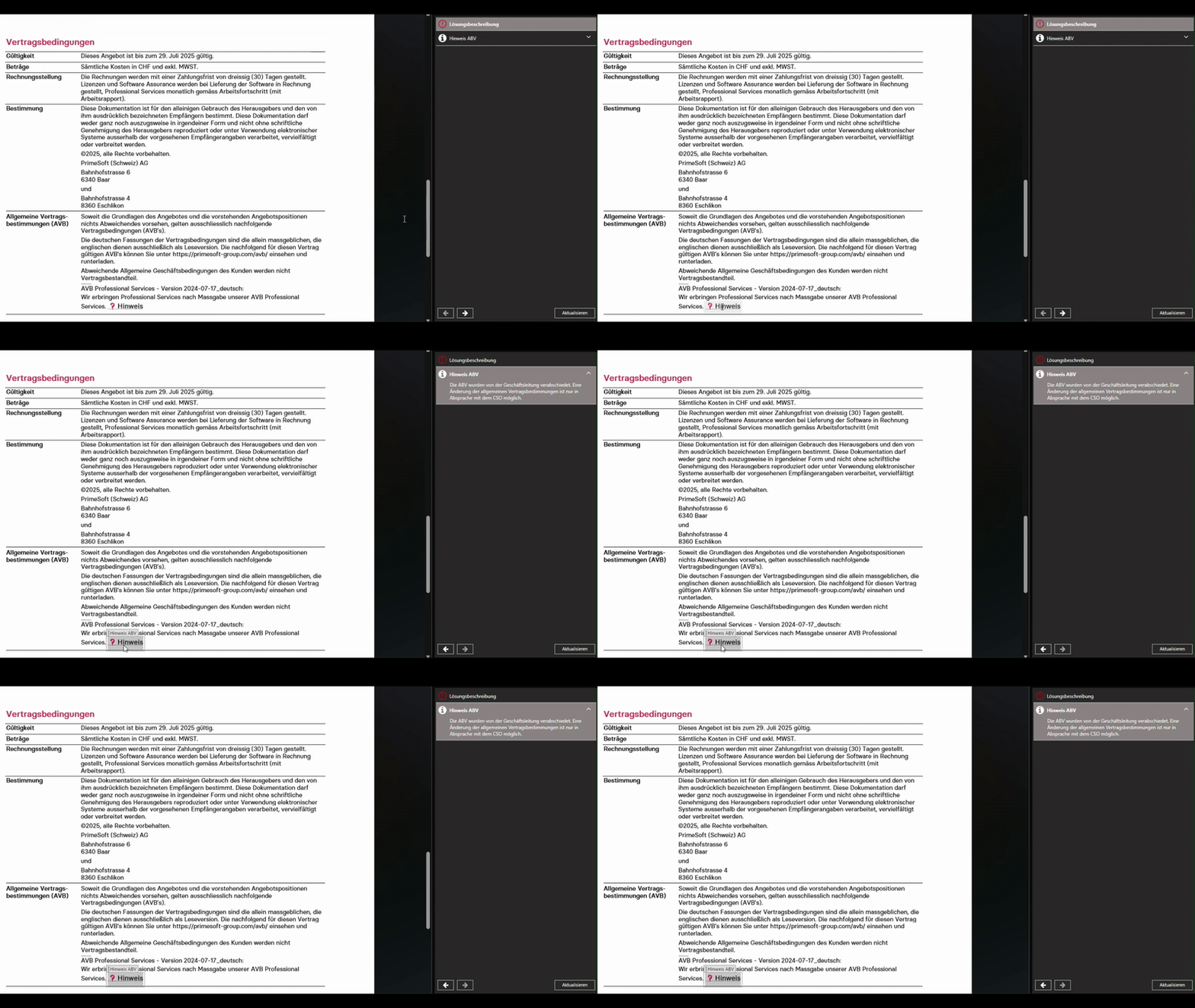
Data and Address Queries from Multiple Sources or Follow-Up Detail Requests
The ProviderPipeline is a new extension available from version 4.0.30065.0. It enables data and address queries across multiple data sources, as well as subsequent loading of detailed information after an initial search.
Outlook Campaign Control
Starting with version 4.0.30057.0, campaigns in Outlook (Classic) can now be controlled using tags:
<Configuration>
  ...
  <HasCampaign>true</HasCampaign>
  <CampaignFilter>
    <TagFilter>
      <Tag>Tag1</Tag>
      <Tag>Tag2;Tag3;Tag4</Tag>
    </TagFilter>
  </CampaignFilter>
</Configuration>
APIs for nested text modules, numbers and setting the update behaviour
With version 4.0.30024.0, more complex templates can be mapped using new features:
- Text modules can define placeholders for other text modules.
- The update behaviour in the open, generated document can be controlled.
- Numbers can now be formatted more easily.
- In version
4.0.30043.0, additional functions have been added to make it easier to override the decimal separator and thousands separator.
- In version
Output management
In version 4.0.30043.0 it is possible with the Output Management to define actions which the user can select during document generation. This makes it possible to automate certain processes, e.g. documents for the project must always be stored in the X folder.
For administrators
Modernization of the OpenXML Foundation
With 4.0.30171.0, the central OpenXML library was raised to version 3. This forms the technical basis for current Office functions, improves long-term stability, and secures the foundation for future extensions around Word, Excel, and PowerPoint.
Automatic Profile Onboarding
To ensure data consistency, the system now automatically triggers the onboarding process for affected profiles when an organizational unit is deleted or permissions are revoked. This prevents orphaned profile assignments starting from version 4.0.30146.0.
Configurable Ribbon for Office Features
With version 4.0.30122.0 administrators gain more control over the user interface. The ribbon in Office applications can now be configured more flexibly. This allows functions to be selectively shown or hidden and the work environment to be optimally adapted to the needs of the organization.
SCIM
With version 4.0.30096.0, primedocs introduces the long-awaited SCIM support (System for Cross-domain Identity Management). Administrators can now automate their user and group management through standardized SCIM protocols. The integration enables synchronization with identity provider systems such as Azure AD, Okta, or other SCIM-compatible services. With 16 available CustomAttribute-fields, additional user information can be transferred flexibly
New Code Signing Certificate
A new code signing certificate was used in version 4.0.30065.0, which also means the public key has changed. This should be taken into account if the certificate is registered, for example, in the Office Trust Center.
You can find the certificate on the following page: Client Installation
Install.ps1 & Update.ps1
Starting with version 4.0.30057.0, installing and updating the server-side applications has become even easier. A new Install.ps1 script is now used for initial installations, and a separate Update.ps1 is provided for updates.
The previously used installation script is still available, but the new separation makes handling significantly simpler.
.NET 8 Update
From version 4.0.3... .NET 8 is required on the server side.
Microsoft support for the previously used .NET 6 expired on 12 November 2024.
Server-side cache reset
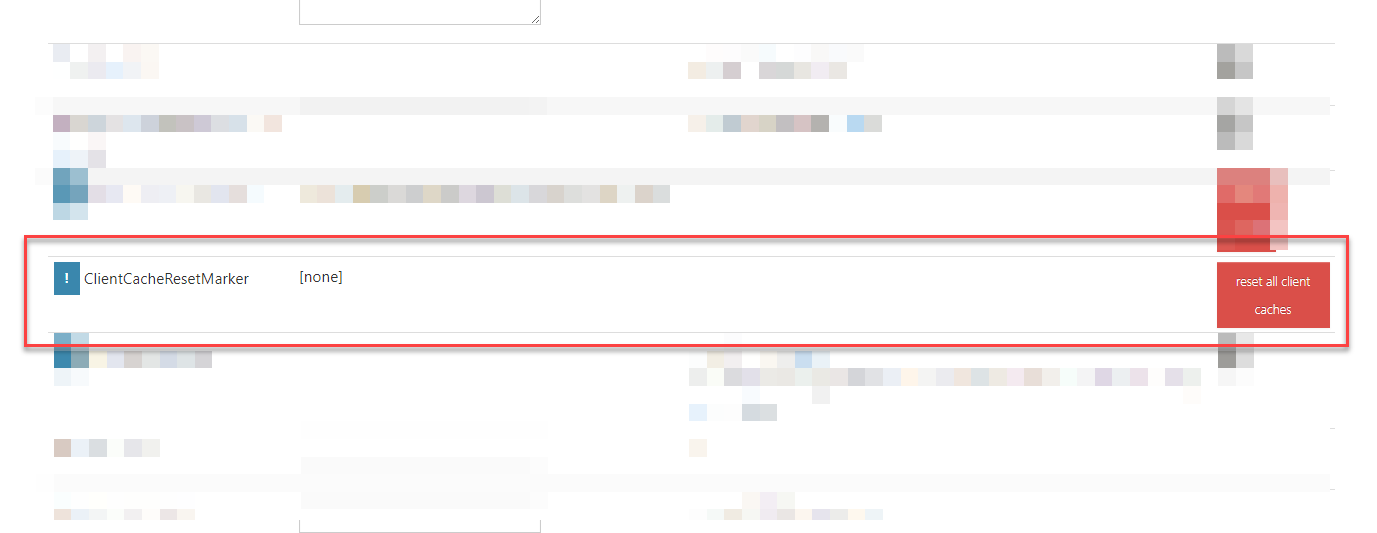
A ClientCacheResetMarker can be set via the DataSourceAdminApp (Dashboard). If this is set, the desktop clients will discard their previous cache during the next synchronisation. However, this option should only be used in an emergency if the regular synchronisation fails.
MSI parameters
Until now, certain settings, such as the ribbon position, could only be overwritten via the registry. This is now also possible via MSI parameters.
Logging in the dashboard
With version 4.0.30043.0, you can also access log information in the dashboard:
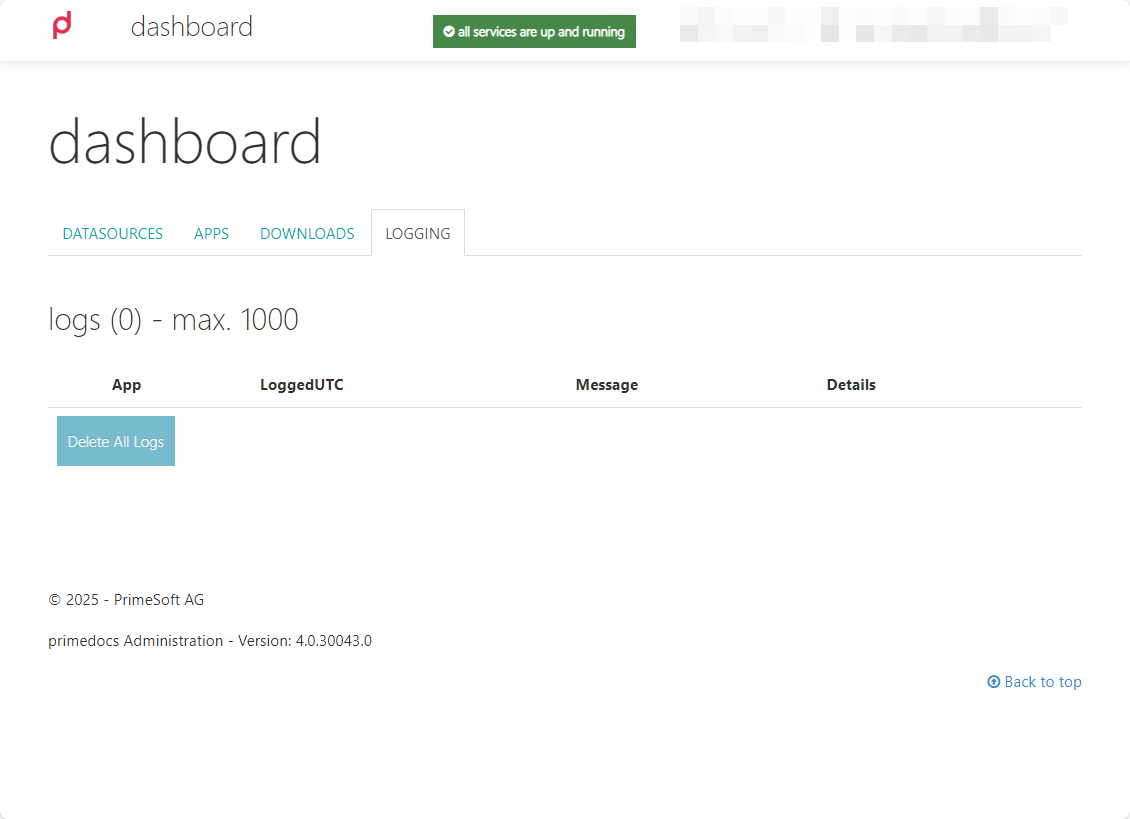
The prerequisite is that the attribute databaseLoggingEnabled=true is set in the primedocs.config and the NLog.config files have not been adjusted.
Highlights primedocs Release 4.0.2
For users
Profile sharing for all
Users can now share their profile with all other users with just one click when sharing their profile:
Demo: Share profile with all users
In the dropdown for selecting the profile, up to ten external profiles are now displayed next to the pinned profiles.
PowerPoint Add-In
Do you know this? You have finished a presentation and now want to create a table of contents to give your audience an overview at the beginning. To do this, you have to create a new slide and painstakingly list each title. If you also want to insert links per slide so that you can jump to a slide, this will take another half hour.
With the primedocs add-in for PowerPoint 4.0.20113 and higher, you can create your table of contents in seconds! Take a look at the demo:
Demo: Inhaltsverzeichnisse in PowerPoint
Outlook Add-In

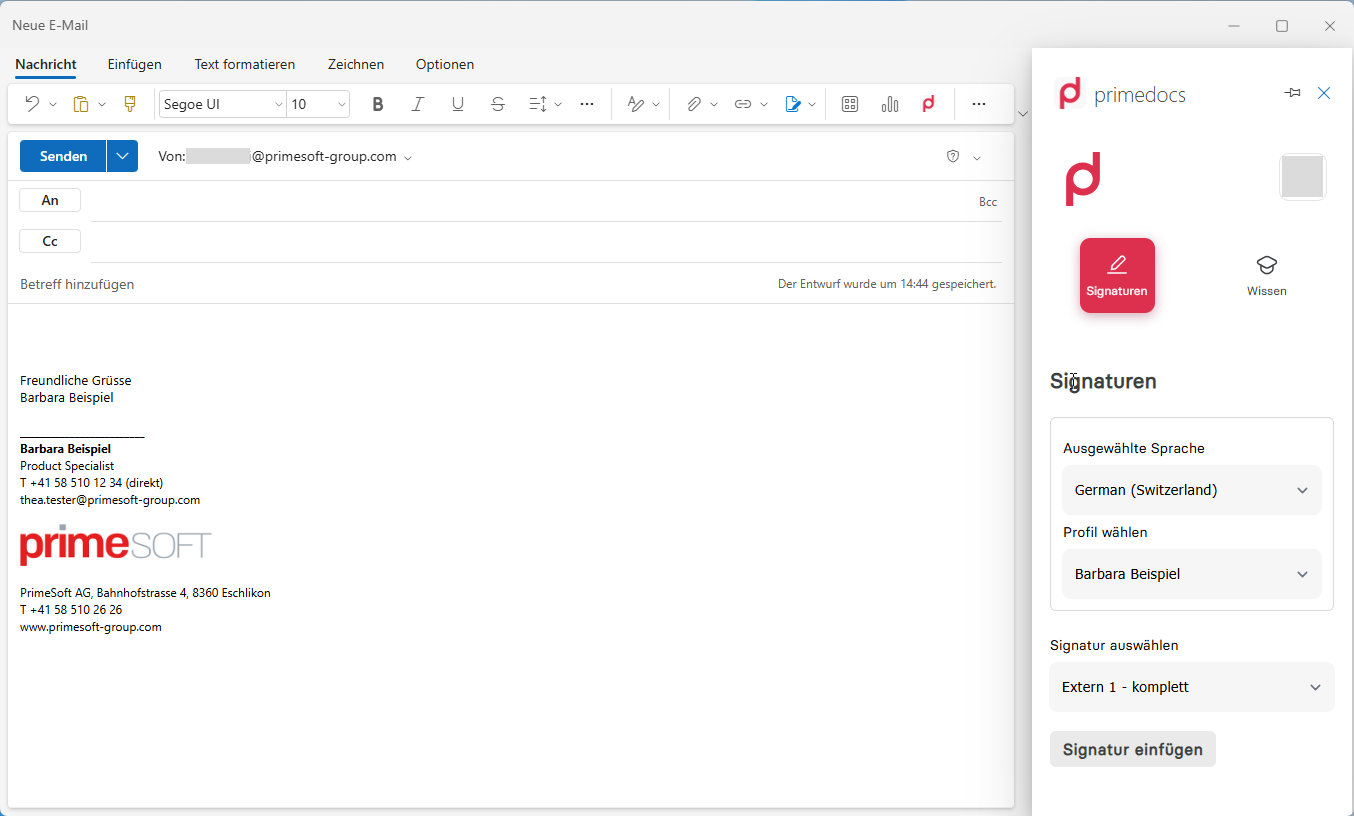
Microsoft released a new web-based Outlook client in Q1 2024.
From version 4.0.20101, the corresponding primedocs add-in is now available to open email signatures and email templates with primedocs.
For template creators
Build templates efficiently
Insert content controls into templates
As of version 4.0.20101, templating has become miles more efficient: create new fields and forms fields and get the new fields into your open template in Word, PowerPoint or Excel without having to close the template first. Take a look at the demo:
Demo: Add fields/forms without closing the template
Troubleshooting
Your document doesn't look the way you expected it to? When solving problems with template construction, it is often valuable to have an overview of what data was returned by forms or fields when creating a document and exactly which styles are available. The developer tools show you this data clearly. The button can be found in the primedocs tab → ‘Template editing’ group.
Create preview images for templates
From version 4.0.20101, you will find the Generate preview images button in the same group. This allows you to create preview images for web-based templates.
Take a look at both features in the demo:
Demo: Generate preview images and developer tools
Style Usage
As of 4.0.20045, style usage statistics can be downloaded from the dashboard: an Excel file that shows which styles are used in which templates and text modules.
Outlook Add-In
The primedocs Outlook add-in for the new web-based Outlook client offers new template types for building web-based e-mail signatures and e-mail templates with primedocs.
Would you like to use a new Outlook client and need web-based Outlook templates? We would be happy to put together an offer for you. Get in touch with primedocs support.
Snippets
primedocs offers two types of snippets for creating templates from 4.0.20063 onwards: WordContent and FormattedText.
WordContent is suitable if longer text sections need to be changed due to a selection in forms.
FormattedText enables the realisation of text sections using HTML. Together with dynamisation via JavaScript, letterheads with different styles can be displayed in a content control, for example. Take a look at the demo!
Demo: Behaviour of dynamic texts via FormattedText
Data interfaces
In Forms, the document function that enables forms in your templates, data interfaces can now be created so that users can use data from your most important specialised applications in documents. The data can come from CSV files, Excel files, the web (HTTP API) or SQL databases.
From 4.0.20152 there is a new data interface: the ExistingListDataProvider. Users can upload their own Excel files and then select the data entries from a list to use them in the document. Take a look at the demo:
Demo: Add recipients via a separate Excel file
Document functions
From version 4.0.20081, every document function for web-based templates can be entered in the global configuration. You are supported during configuration and your entries can be validated by the system.
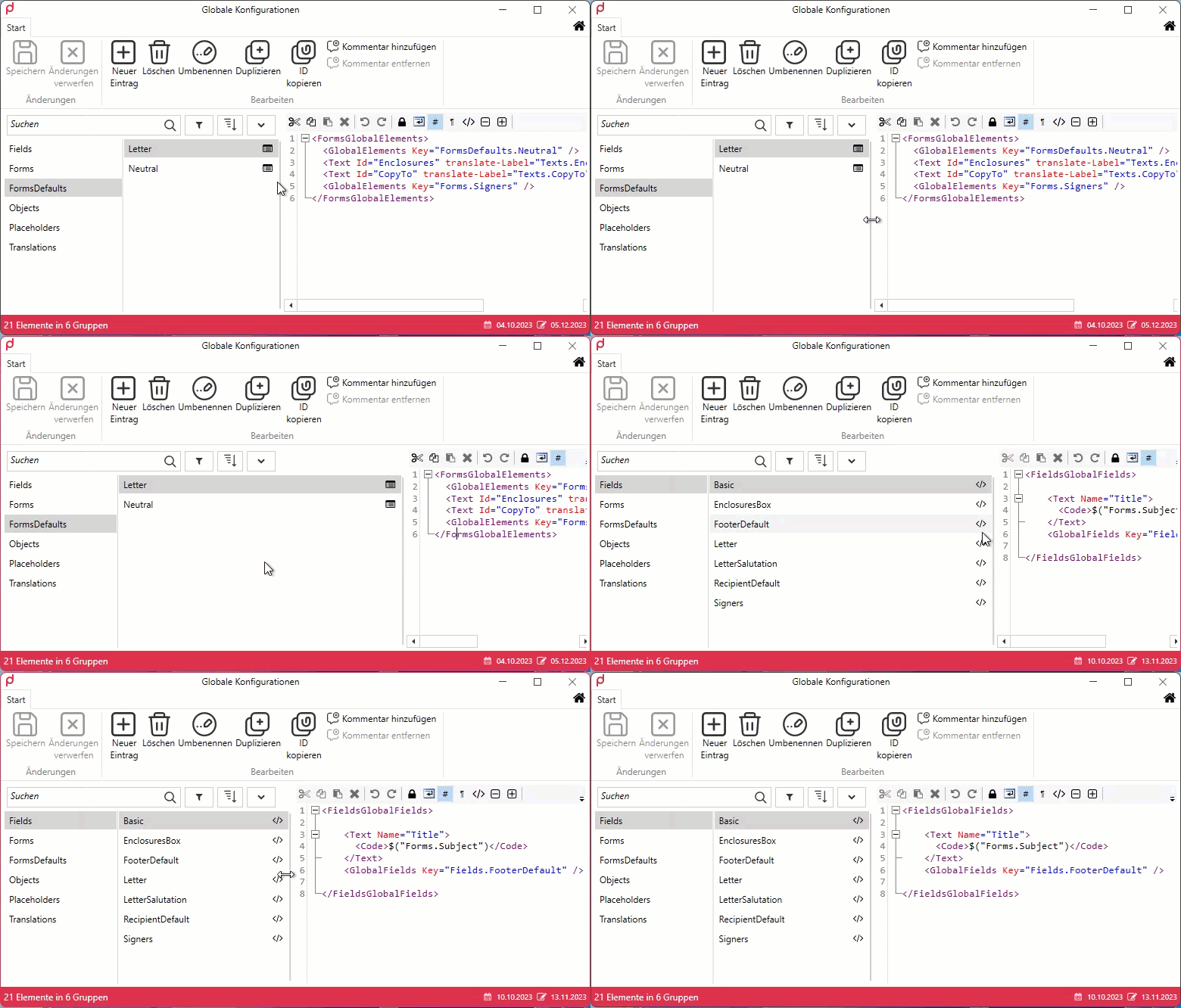
The second column can also be made wider or narrower in the global configurations from 4.0.20122. This setting is of course saved:
For administrators
Database export and import via DACPAC (preview)
Previously, it was possible to create an export of the entire database in the Admin Dashboard. However, the resulting .zip file could only be imported to other environments if they had the same version as the original server. This is now a thing of the past: from 4.0.20184, you can also export a .dacpac file instead of a .zip file. Any migration steps due to different versions are handled better, and this file can be imported again both via the Admin Dashboard and via SSMS (SQL Server Management Studio) / Azure Data Studio. This is therefore a more flexible import/export function. This function is currently a preview.
primedocs Connect
It is now also possible to partially or fully automate your document generation process with web-based templates: data from third-party applications is sent to primedocs, primedocs creates a document and this is then saved as a PDF in a defined location. Documents can also be created on the server side via the Connect API.
Read the relevant pages in the technical documentation: primedocs Connect
New APIs
New APIs enable access to data in primedocs:
- The Admin API provides interfaces for user, profile and organisation management.
- Via the Connect API, third-party systems can utilise primedocs document generation on the server side via the primedocs Connect interface.
User onboarding and offboarding
There have been some enhancements to the user administration in 4.0.20031: User onboarding allows you to create several users at once and to automatically assign users who log in to primedocs for the first time to the correct organisational unit.
You no longer want to manually delete all users who are no longer in the AD from primedocs? No problem! With user offboarding from 4.0.20184 onwards, you can configure user synchronisation so that users are automatically deleted after a defined number of days on which their AD user is unavailable.
Client-server synchronisation
Do you have a large database with many templates and text modules? From 4.0.20051 the lazy loading cache feature is available, which ensures that clients only load this data when it is used.
Position of tabs in Office applications
You can now also set the position of the Word, PowerPoint and Excel tabs via MSI parameters.
More highlights
Accessibility
is a top priority for us. That's why primedocs desktop now has even better screen reader support.
Data interfaces in forms
Use data interfaces from version 4.0.20030 in your forms so that you can easily retrieve data (e.g. recipients) from your specialised applications:
Create documents via CMI Web
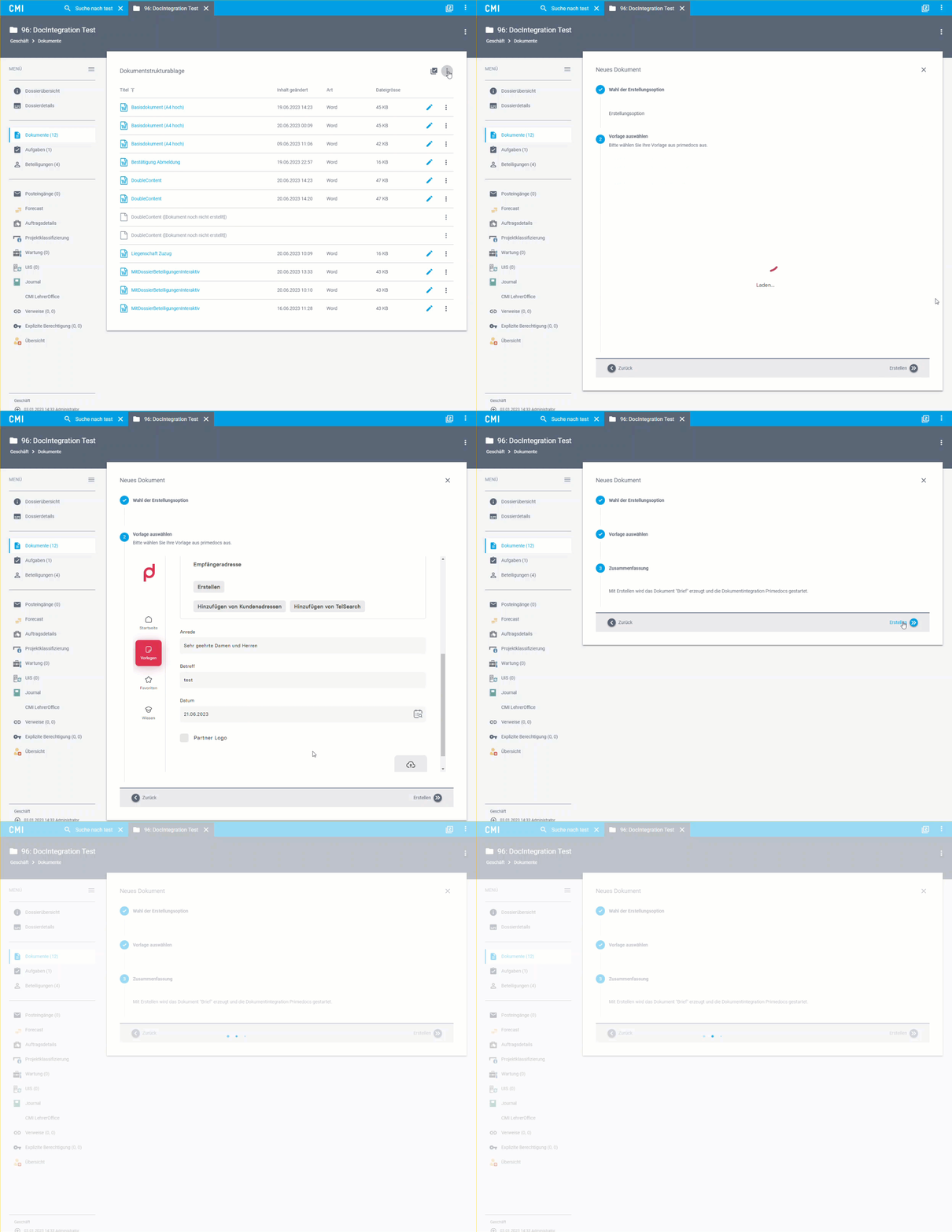
Create documents directly from the CMI WebApp from version 4.0.20030!