Outlook ribbon
This page describes the add-in in classic Outlook for Windows. In new Outlook the web add-in does the work. The guide is under E-mails and signatures in Outlook.
Applies to: classic Outlook on Windows with primedocs Desktop (Office COM add-in).
Main window
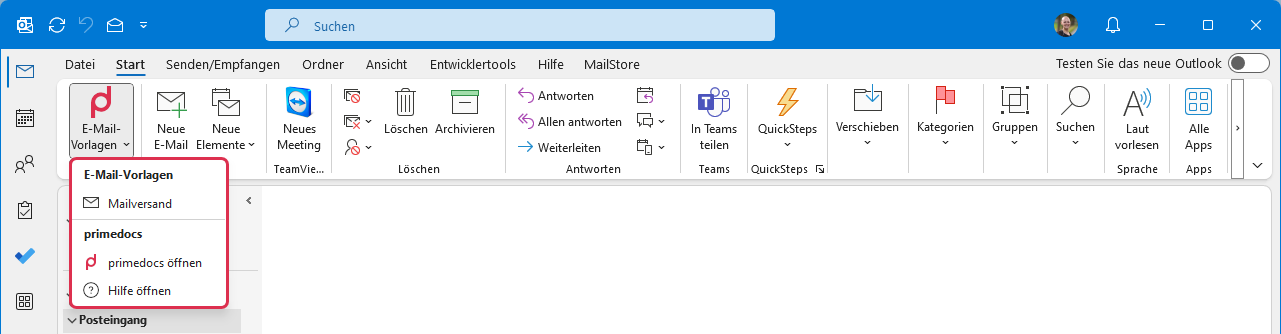
E-mail templates: the only primedocs button in the main window, recognisable by the logo. The menu lists the available e-mail templates as well as Open primedocs and Open help.
New message
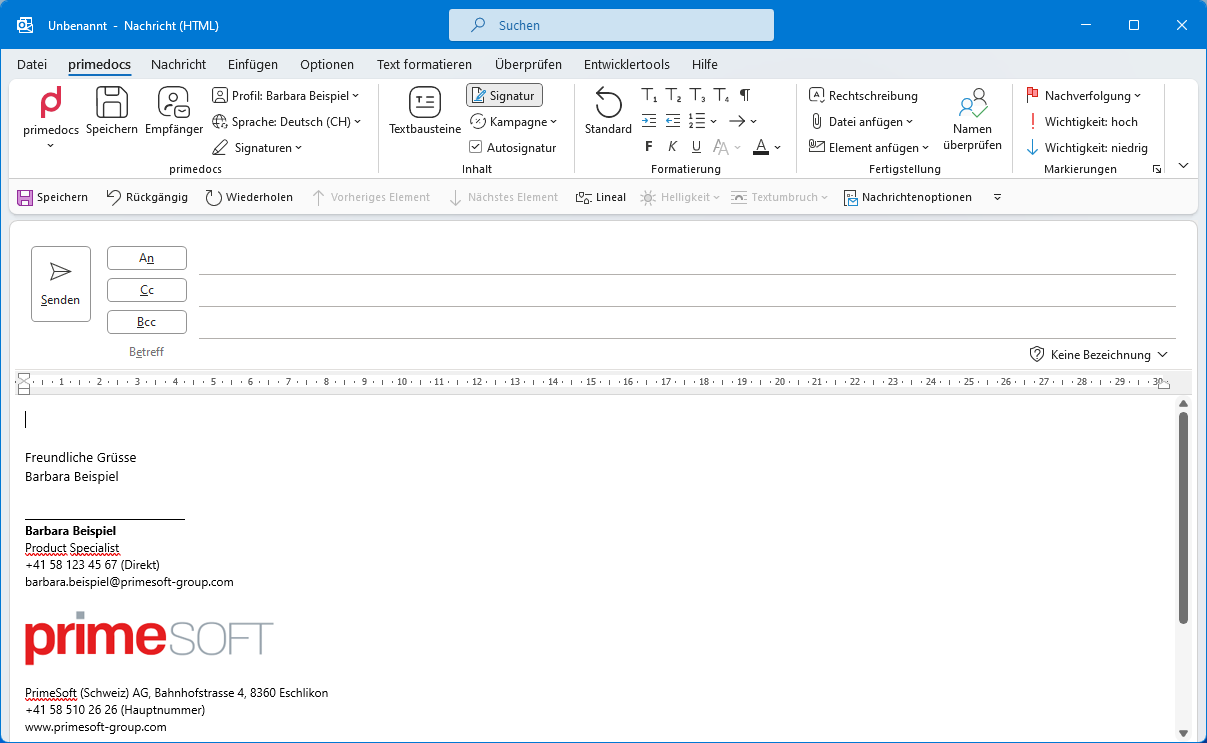
primedocs / Save / Recipients / Profile / Language: the first part of the ribbon corresponds to the add-in in Word, PowerPoint and Excel.
Signatures: chooses the e-mail signature from the primedocs signatures (for example internal, external, reply external) and the classic Outlook signatures.
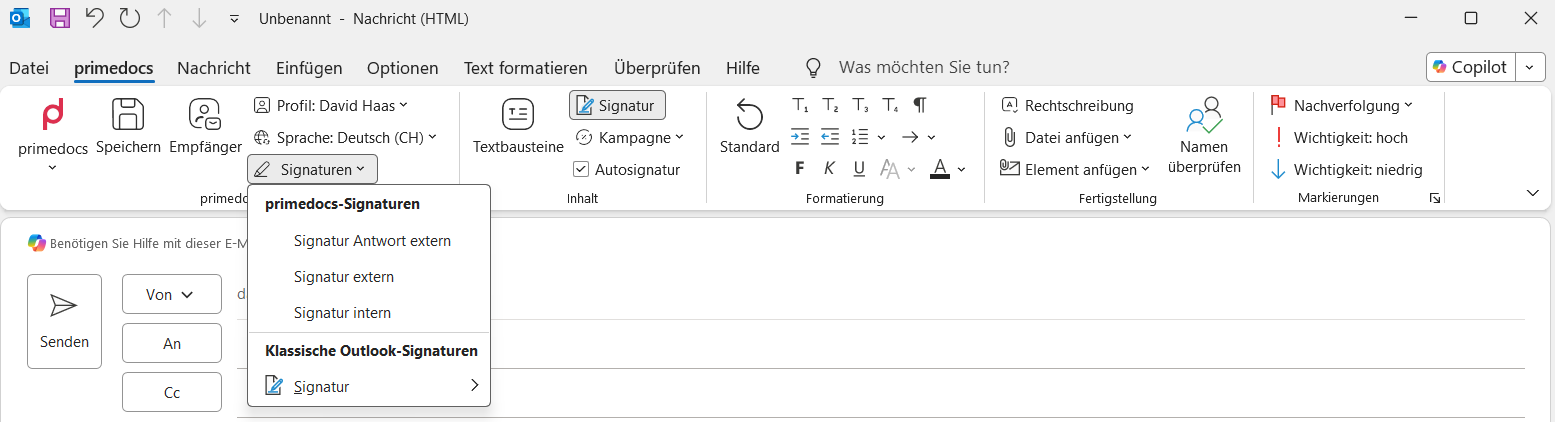
Content group
Snippets: opens the same snippet pane as in Word with the same snippets.
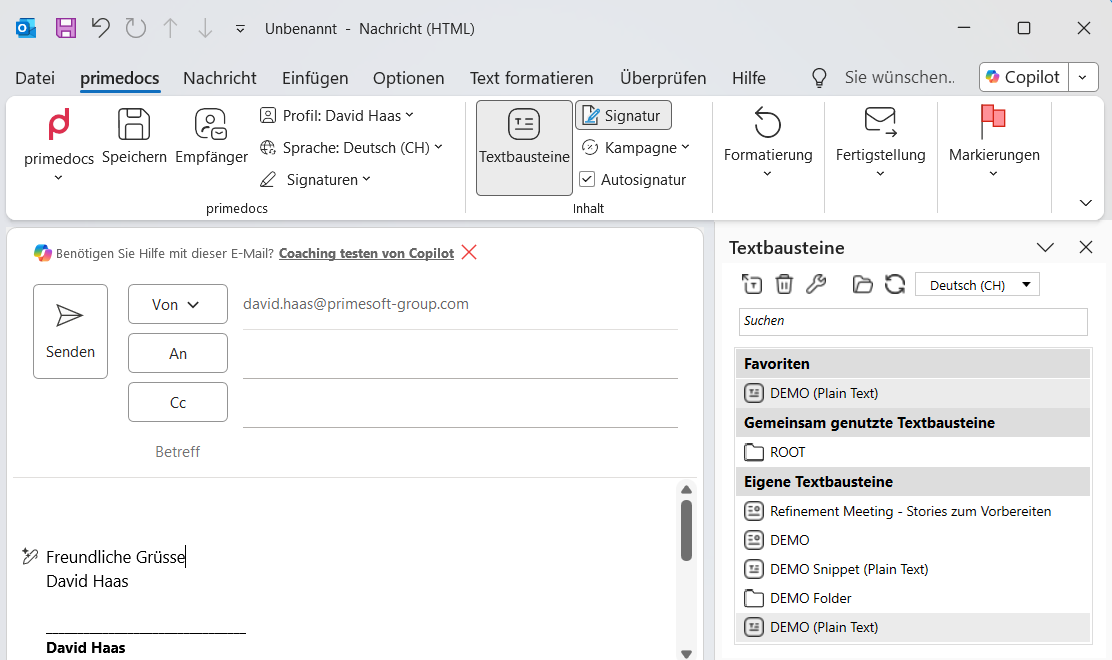
Signature: on/off switch, shows or hides the signature.
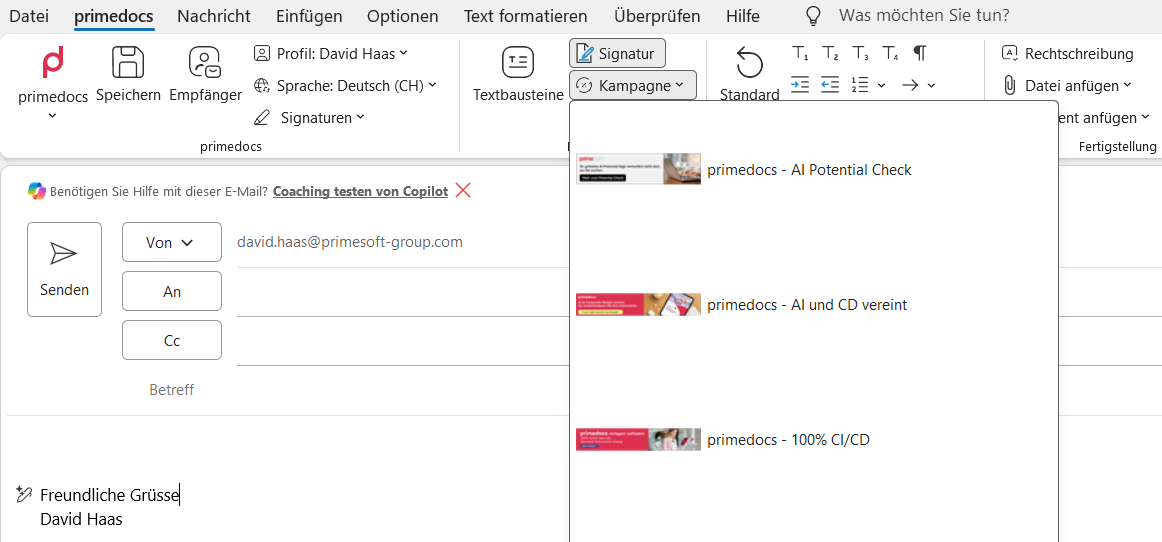
Campaign: chooses a campaign banner that is inserted into the signature.
Auto signature: when enabled, checks the recipients. Only internal addresses: internal signature. As soon as an external address is involved: external signature.
Classification: adds a defined classification to the subject (for example "Internal", "Confidential"). Appears only if classifications are set up.
Sensitivity: sets the sensitivity level of the message. Appears only if set up.
Formatting group
Standard: resets the current paragraph to the corporate design.
Title: assigns a title level (Title 1–4) in the corporate design to the selected text.
Indent / Numbering: increase or decrease indent, choose numbering style.
Bold / Italic / Underline: text emphasis.
Styles: paragraph and character styles of the corporate design.
Theme colours: text colours from the corporate design palette.
Finalisation group
Spelling: starts the spell check.
Attach file: recently opened files as attachment.
Attach item: like "Attach file", plus business cards and other Outlook items.
Check names: matches names against known e-mail addresses (Ctrl+K).
Tags group
Standard Outlook functions carried along in the primedocs ribbon: Follow up, Importance: high / low.