Roles for additional profiles
Roles for additional profiles assign a functional role — such as "President", "Secretary" or "Instructor" — to an additional profile (e.g. a co-signer or main signer). In the template, this is used to preselect the matching profile automatically.
These roles are not the permission roles (Sys admin, Org admin, …) from Permissions. They only control the preselection of additional profiles in templates.
Role model
A role consists of:
RoleId— a technical, unique identifier (e.g.President,Secretary,Instruktor). TheRoleIdmust not contain the characters",<or>, because it is used as an attribute value in the template.- Display names — localised per language (e.g. "Präsident" / "President").
- Sort order — determines the order in the selection.
Managing roles (administration)
The role catalogue is maintained in the Desktop Client:
- Activate the administration view and open the additional-profile role administration in the Organisation tab.
- Add, rename, duplicate or delete roles. The technical
RoleIdcan be copied for use in the template. - Enter a display name per UI language. The available languages correspond to the datasource's synchronised languages.
Changes are stored on the server and synchronised to the clients on the next sync.
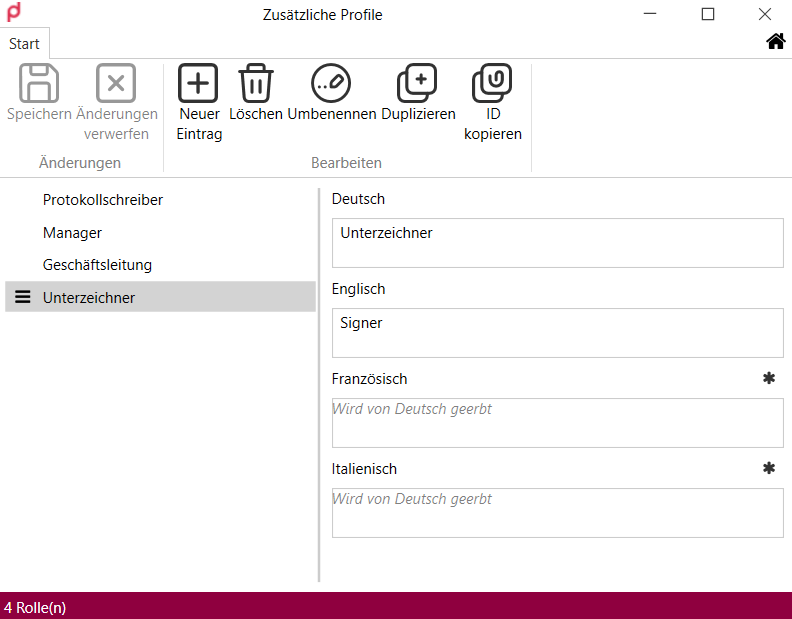
Role catalogue in the Desktop Client: one display name per UI language; languages left empty inherit the German value (window shown in German).
Assigning roles to an additional profile
Assignment happens in the "Manage additional profiles" dialog (Desktop Client and COM add-in):
- In the profile view, click "Manage additional profiles".
- In the list of additional profiles, use the multi-select field in the "Roles" column to enable one or more roles.
The selection comes from the administratively defined catalogue. If no roles are defined, the field is disabled. The assignment is loaded client-side from the local cache.
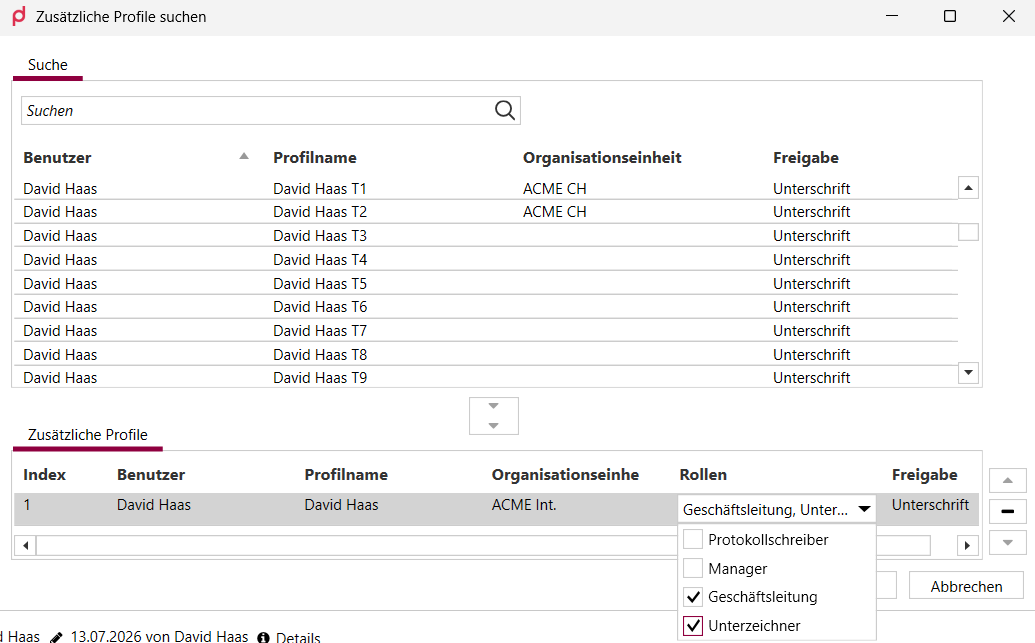
The "Roles" column lets you enable one or more roles per additional profile via the multi-select field (dialog shown in German).
Use in the template
In the template, the Forms attribute PreselectByRole uses the assigned role to preselect the matching profile automatically. A match by role takes precedence over PreselectByIndex; if there is no match, PreselectByIndex is used as a fallback.