Microsoft Information Protection (MIP)
This document function applies Microsoft Information Protection (Microsoft Purview) sensitivity labels when generating Word, PowerPoint and Excel documents. The user selects the label in the generation form; primedocs applies the label's visual markings (headers/footers, watermarks) and — if enabled — rights-based protection.
- An Azure AD app registration whose client ID is set in
ApplicationId(used for MIP SDK operations). - For rights-based protection (
EnableProtection), the_System.MIP.Protectionconnected service must be configured. - Selecting a label may require the user to sign in to the connected service first.
- The Visual C++ Redistributable must be installed on the server (or the system running the MIP operations), as it is required by the MIP SDK.
- The system running the MIP operations needs Internet access to the MIP services. If a proxy is used on the server, additional configuration is required, see Network access and proxy.
Basic structure
Configuration is done in the template editor under Document Functions. The settings can be defined either locally or referenced from a global configuration — mixing both is not allowed.
<MipConfiguration>
  <ApplicationId>00000000-0000-0000-0000-000000000000</ApplicationId>
  <EnableProtection>true</EnableProtection>
</MipConfiguration>
Configuration elements
| Element | Required | Description |
|---|---|---|
ApplicationId | required | Client ID of the Azure AD app registration used for MIP SDK operations. For a local configuration, ApplicationId must be set; when referencing a GlobalMipSettings entry instead, that global entry must provide the ApplicationId. |
EnableProtection | optional | true if labels with rights management (protection) should be supported. Requires the _System.MIP.Protection connected service. |
OverrideServiceUrl | optional | Overrides the MIP service endpoint (e.g. for local development). |
GlobalMipSettings | optional | Reference to a global MIP configuration via the Key attribute. When used, all settings are loaded from the referenced global entry; must not be combined with local settings. |
Reusing global MIP settings
If the same MIP configuration is needed across multiple templates, maintain it centrally as a global configuration of type MipGlobalSettings and reference it via GlobalMipSettings:
<MipConfiguration>
  <GlobalMipSettings Key="StandardMip" />
</MipConfiguration>
The sensitivity label selection appears to the user as a field in the generation form. Which labels are available depends on the tenant's MIP/Purview configuration.
Server-side application (dark processing)
Sensitivity labels are applied not only in the Office client but also server-side during document generation — in particular on the Document Creation Server (DCS) and for automated generation via Connect ("dark processing"), without any local Office add-in involved.
The label is applied as the last step of the document pipeline, directly on the document byte stream. The reason: when rights-based protection is active (EnableProtection), MIP encrypts the document, so it is no longer plain Office Open XML and cannot be processed further. Word, PowerPoint and Excel are supported.
Authentication
Server-side, no interactive Office sign-in is available. Authentication therefore runs through Connected Services:
- The user's OAuth access token is stored server-side as a connected service and decrypted per user. The user identity is derived from the token (JWT).
- An isolated MIP cache is used per user (relevant for terminal-server / Citrix environments).
- If the required connected service is not signed in, label selection is blocked (sign-in prompt). With
EnableProtectionenabled, both services (_System.MIPand_System.MIP.Protection) must be signed in.
Available labels
The available sensitivity labels are read at runtime directly from the MIP service (not from a local copy):
- Hierarchical labels are shown as
Parent\Child. - Only active labels appear.
- Labels with rights-based protection appear only if
EnableProtectionis set.
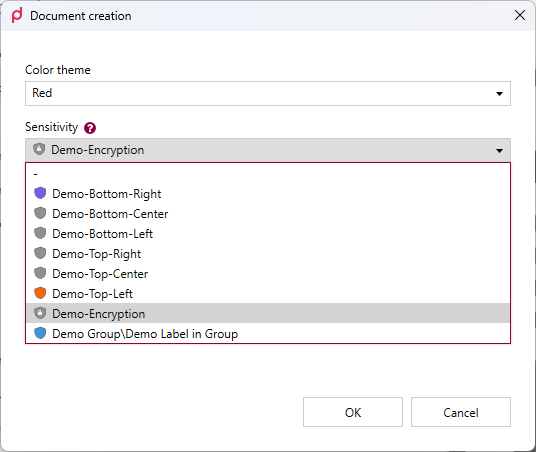
Label selection in the generation form of the desktop client. The entry Demo Group\Demo Label in Group shows how a hierarchical label is rendered.
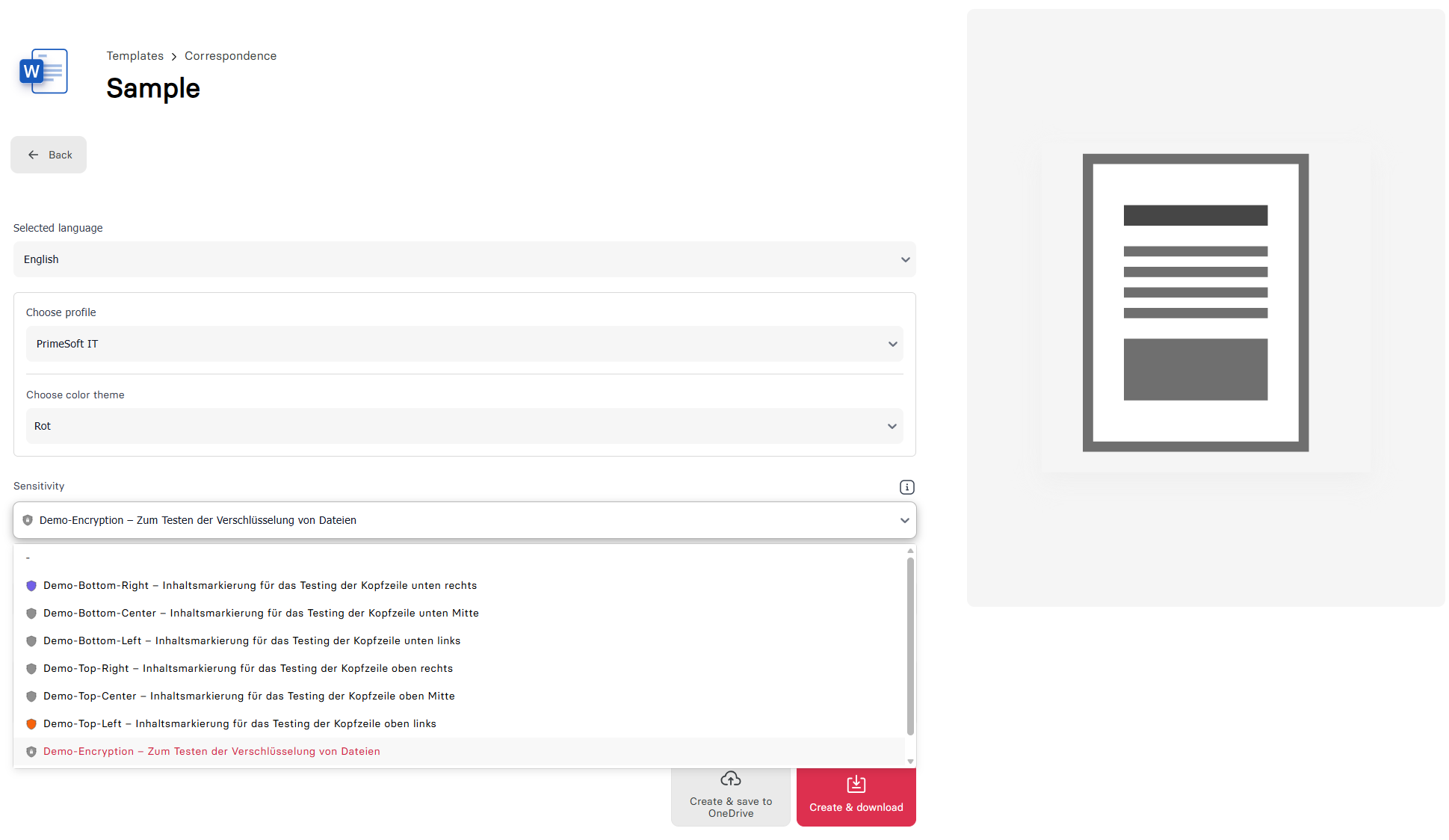
The same selection in the web app, here with the description shown per label.
During server-side generation, no visual markings (headers/footers, watermarks) are burned in — only the label (including rights-based protection) is set. The visual markings are re-applied when the document is opened in the Office COM add-in (relabeling).
Network access and proxy
The MIP SDK communicates directly with the Microsoft cloud services (policies/labels, rights-based protection, Microsoft Entra ID). Every system that runs MIP operations therefore needs outbound HTTPS access to these services. The required endpoints are listed in the Microsoft documentation.
Which system that is depends on where the document is generated:
- Desktop client: labels are loaded and applied locally on the workstation.
- primedocs Web, Office web add-ins, DCS and Connect: labels are loaded and applied on the primedocs server.
MIP does not use the regular primedocs proxy settings (see Using a proxy). On the server, the proxy must be configured separately for MIP as described below.
The MIP SDK does not support proxies that require authentication. If the proxy requires sign-in, the MIP endpoints must be exempted from authentication on the proxy or be reachable directly (without a proxy).
Client
The desktop client runs in the context of the signed-in Windows user and therefore uses that user's proxy settings. If the user has Internet access (e.g. in the browser), MIP usually works without additional configuration — unless the proxy requires authentication (see above).
Server
The primedocs server applications run as IIS application pools under a service identity (e.g. ApplicationPoolIdentity or a service account). Typically, no proxy settings are stored for this account, so MIP requests fail without a proxy even though the rest of primedocs works. The proxy must therefore be configured for WinHTTP. There are two options:
Option A (recommended): machine-wide WinHTTP configuration
Run in a PowerShell session with administrator rights:
# Set the proxy; local addresses and internal domains bypass the proxy
netsh winhttp set proxy proxy-server="proxy.example.com:8080" bypass-list="<local>;*.example.com"

# Show the current configuration
netsh winhttp show proxy
Then restart the primedocs application pools.
The WinHTTP configuration is machine-wide and not tied to a user account — it does not need to be set on behalf of the application pool account and automatically applies to all application pools. It does, however, affect all applications on the server that use WinHTTP (e.g. Windows Update as well). Choose the bypass-list so that internal addresses — in particular the primedocs URL itself — do not go through the proxy. Reset with netsh winhttp reset proxy.
Option B: Internet settings of the application pool account
If the setting should only apply to primedocs, the Internet settings can be set directly in the user profile of the account the application pool runs under. WinHTTP falls back to these values.
-
Determine the SID of the account:
# ApplicationPoolIdentity: "IIS APPPOOL\<pool name>", otherwise e.g. "DOMAIN\svc-primedocs"$account = New-Object System.Security.Principal.NTAccount("IIS APPPOOL\primedocs-Managed")$account.Translate([System.Security.Principal.SecurityIdentifier]).Value -
Set the following values under
HKEY_USERS\<SID>\Software\Microsoft\Windows\CurrentVersion\Internet Settings:Name Type Value ProxyEnableREG_DWORD1ProxyServerREG_SZproxy.example.com:8080ProxyOverrideREG_SZ<local>(add internal domains if needed, separated by;) -
Restart the application pool.
The values must be set for every account under which a primedocs application pool using MIP runs. The HKEY_USERS\<SID> branch only exists if the user profile is loaded — in IIS, "Load User Profile" must be True for the application pool (default).