Storage Account
A storage account is required for primedocs.config, the authentication token certificate (cert.pfx) and for DataProtection:
An account with "Standard" performance and "GRS" is sufficient. Only a small amount of data is stored in the storage:
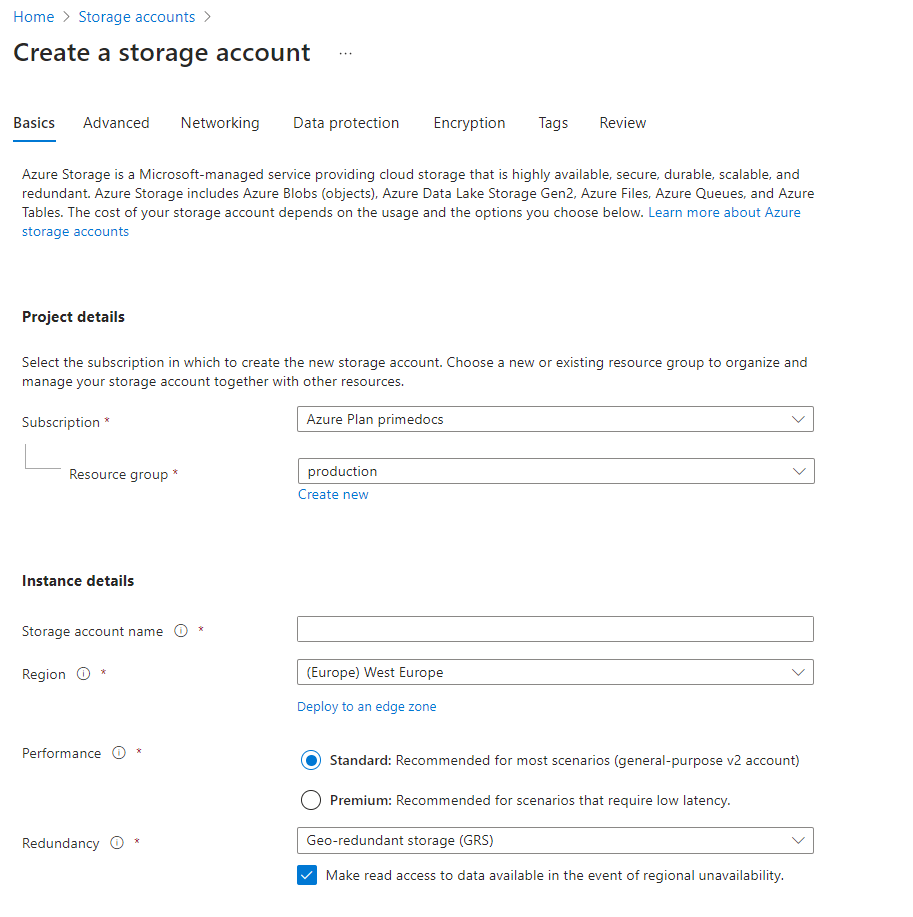
Create a primedocs-customer container in this storage account:
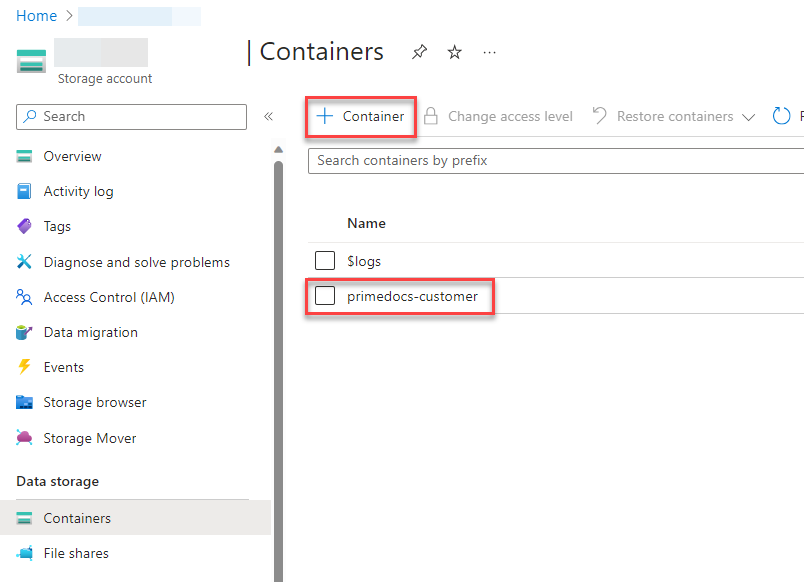
The configuration data will later be stored in this container.
Security
The primedocs-customer container holds sensitive data: the primedocs.config (with connection strings and secrets) and the signing certificate cert.pfx. Access to the storage account should therefore be configured restrictively.
- Disable anonymous blob access: Make sure "Allow Blob anonymous access" is disabled on the storage account. The App Service accesses it via its managed identity (
Storage Blob Data Contributor) and does not need anonymous access. - Restrict network access: Under Networking, limit access to selected networks. Make sure the App Service can still reach the account (e.g. via "Allow Azure services on the trusted services list to access this storage account"). For higher requirements, a private endpoint can be used.
- Protect and rotate access keys: Prefer access via Entra ID / managed identity over the storage account access keys. If access keys are needed nonetheless, keep them secure and rotate them regularly.