Complete configuration
Once the Azure services have been provided, the primedocs configuration still needs to be stored and the actual application deployed.
Create configuration
The necessary primedocs.config will be created for you by our support team. We need the following information for this:
HostUrl: The URL of the app service.StorageAccountName: The name of the storage account.DbConnectionString: The ConnectionString from the productive database.OperationDbConnectionString: The ConnectionString from the second database.AzureAdClientId:The ClientId of the Entra App RegistrationAzureAdClientSecret: The ClientSecret of the Entra App RegistrationAzureAdDataSourceAdminAppClientId:The ClientId of the Entra App Registration for the DataSourceAdminAppAzureAdDataSourceAdminAppClientSecret: The ClientSecret of the Entra App Registration for the DataSourceAdminAppAllowedTenantId:The tenant ID of the Entra IDKeyVaultUrl:The URL to the key vault key (e.g.https://customer.vault.azure.net/keys/dataprotection/{keynumber})
A primedocs.config and a cert.pfx are then created, which are stored in the primedocs-customer container.
Find details to the primedocs.config here: primedocs.config
Deployment
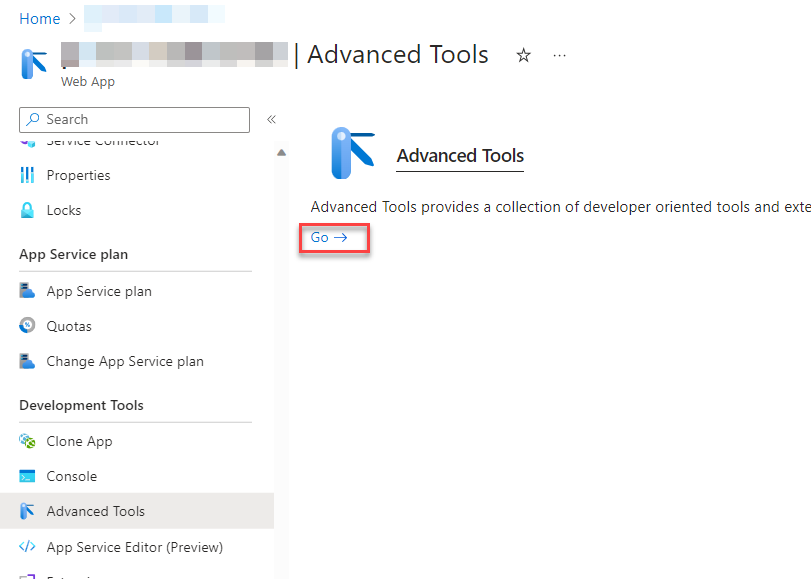
Deployment takes place via a ZipDeploy, which can be executed most easily via the advanced tools:
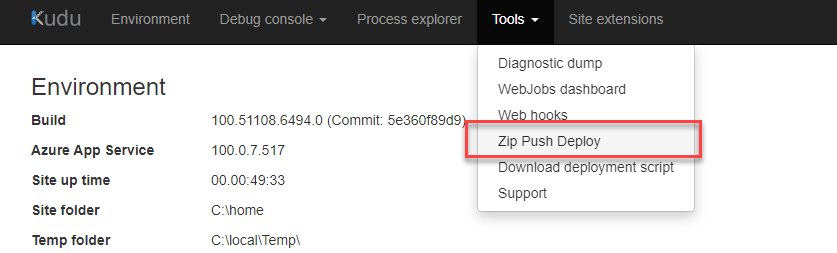
The supplied .zip can then be uploaded here:
Configure DataSourceAdminApp
After deployment, further configuration is available here:
https://customer.com/datasourceadminapp