Azure SQL
Database creation
primedocs requires at least two SQL databases:
The primedocs-customer database contains all productive data.
The primedocs-customer_operations database is required for the operation of the authentication component. This database can run in a lower "service tier".
1. Create Azure SQL Database for productive data
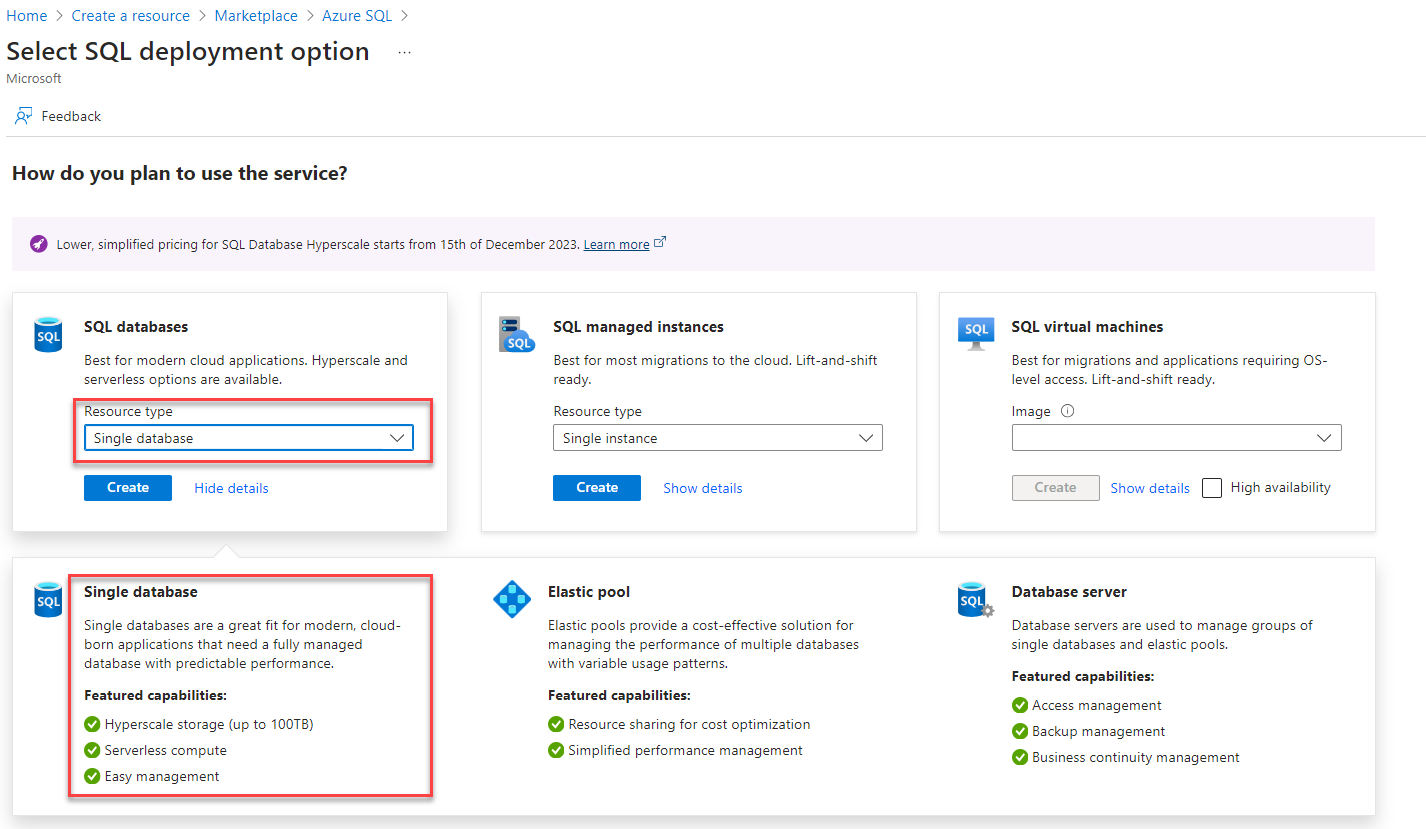
Create a single “SQL database”:
2. Create Azure SQL Database Server
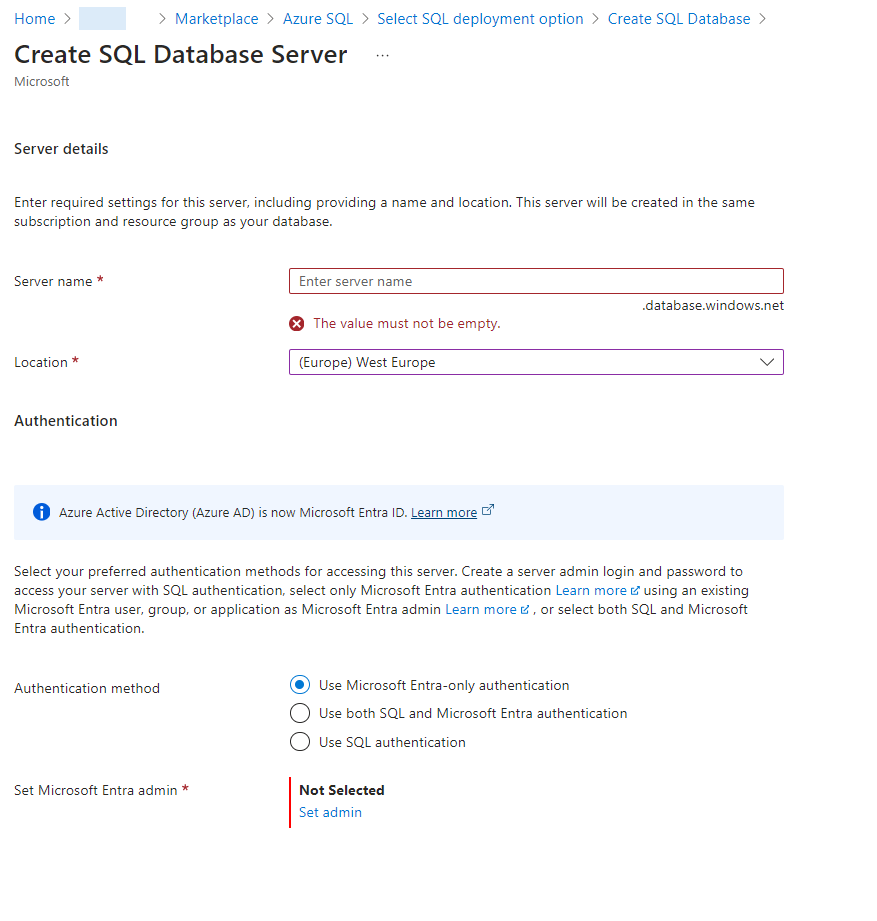
When creating the SQL Database Server, use the default setting.
The authentication can remain on "Use Microsoft Entra-only authentication".
Authentication from the service to the SQL Database is done via "Managed Identities".
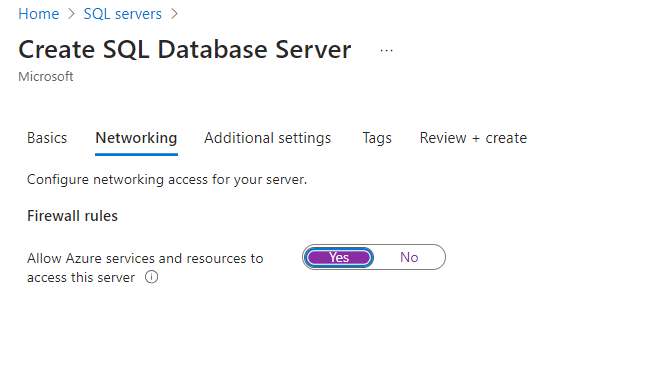
Activate the option “Allow Azure services and resources to access this server” in “Networking”:
3. Configure Azure SQL Database
Basically, the default settings are recommended. Important settings from function perspective are mentioned here:
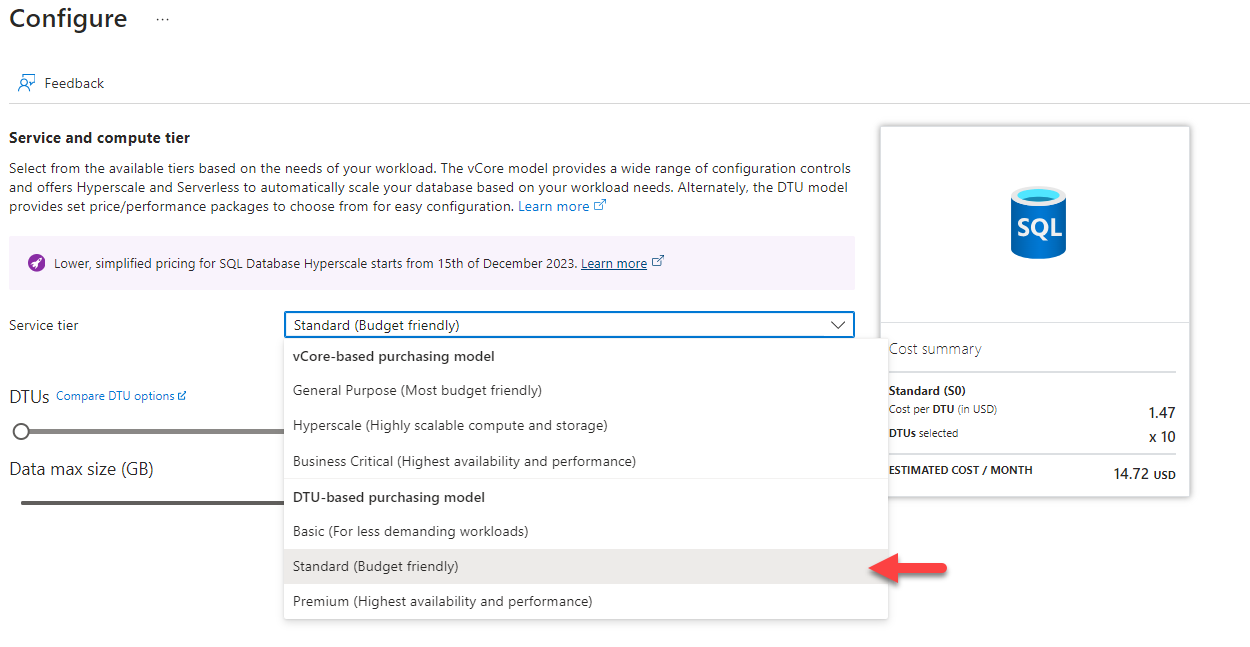
Service Tier
We recommend the “DTU-based purchasing model” in the “Standard-tier”. You can start with a low setting and then scale up the DTU number in case of peaks in demand.
Backup
Make sure that the productive database creates automatic backups. The default settings are recommended.
Collation
The following collation should be used (case-insensitive): SQL_Latin1_General_CP1_CI_AS
4. Create “_operations” database
Once the productive database has been created, the second "_operations" database must also be created immediately. The existing SQL server can of course be accessed here.
Authorization for the App Service
In order for the created app service to be able to access the database from this step, the service must be stored as a user in both databases.
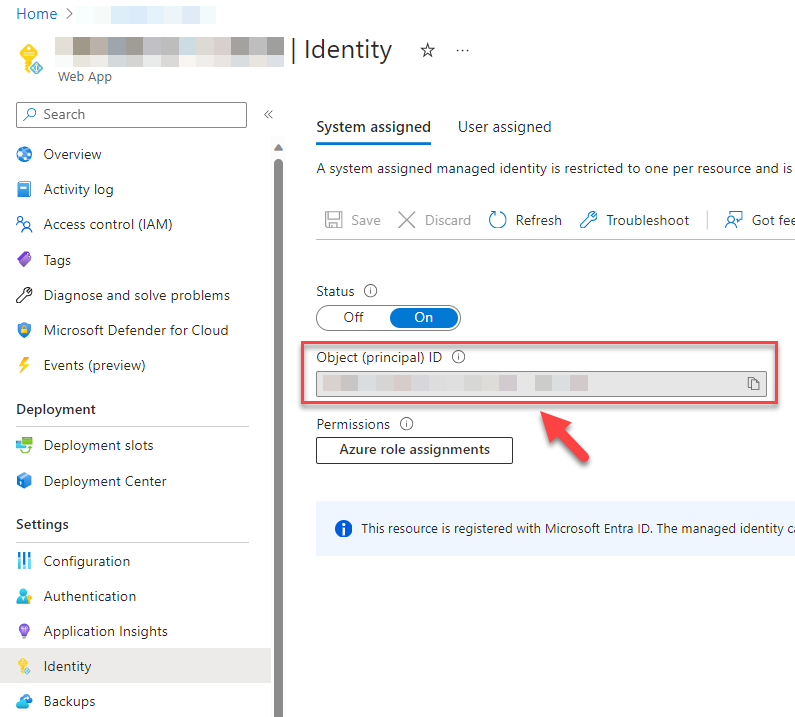
For this step, you need the Object (principal) ID of the web app:
Then call the Query editor in the SQL databases in the Azure portal:
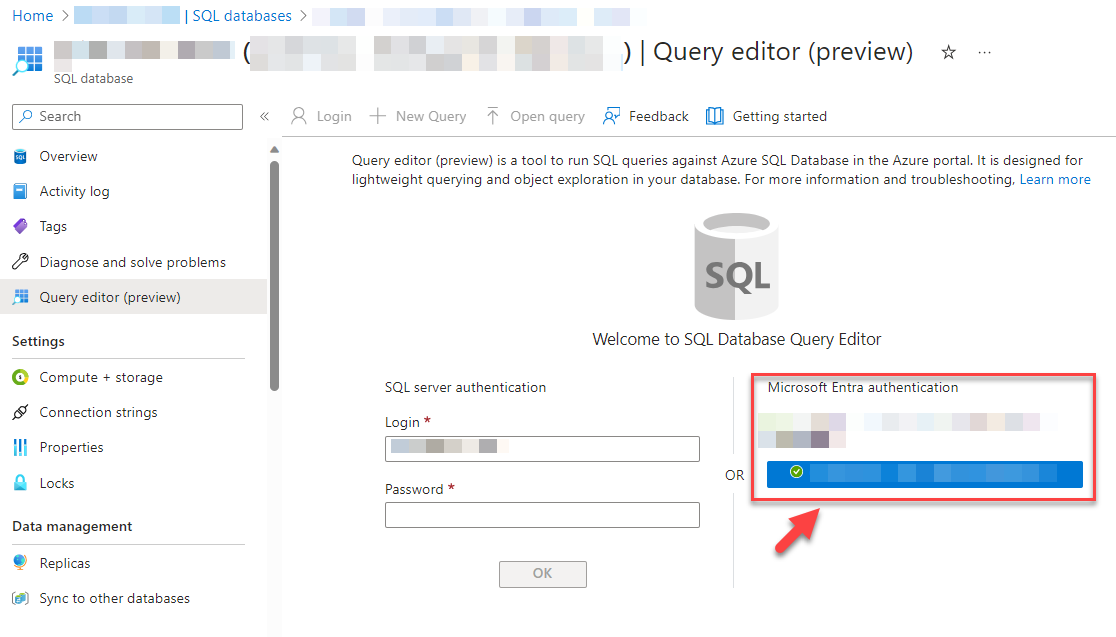
Set this in the Query window:
CREATE USER [{APP-SERVICE NAME}] FROM EXTERNAL PROVIDER WITH OBJECT_ID='{APP-SERVICE PRINCIPAL ID}'
ALTER ROLE db_owner ADD MEMBER [{APP-SERVICE NAME}];
Replace {APP-SERVICE NAME} with the name of your App Service and {APP-SERVICE PRINCIPAL ID} with the copied ID.
Make this change for both databases!